WE CAN HELP
WordPress Website
Migration Service
Moving your website to WordPress, changing hosts, or switching domains? We handle the transfer, protect important URLs and content, and check the SEO details before launch. Our WordPress development and SEO team works together on the move, from inventory and staging to redirects, testing and handoff.
Planning a move? See what kind of migration you need, or how we protect your existing search visibility.



URL Mapping
Plan valuable existing page addresses
Content + Media
Move the assets visitors actually need
WordPress
Development and technical SEO together
Launch QA
Test before and after the move
Change Your Platform. Keep the Parts of Your Site That Matter.
A website migration is not just a copy-and-paste job. Pages, images, permalinks, forms, search metadata and third-party tools all need to land in the right place. When something has earned traffic or useful links, we plan its destination before moving it.
We can help with a move into WordPress, a WordPress-to-WordPress transfer, or a domain/hosting change. If you also want a full visual overhaul, that is a related but different scope. Compare the options below.
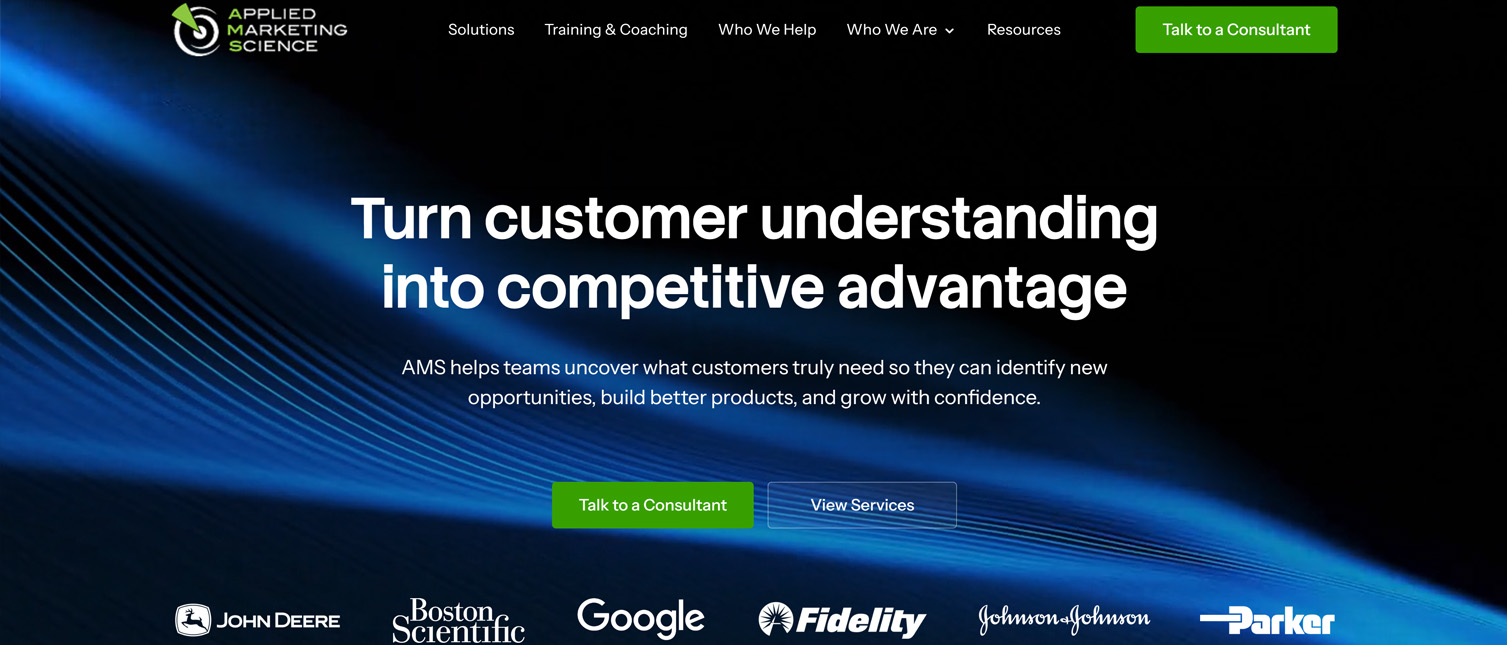
A real WordPress website built by Hog the Web for Applied Marketing Science. Shown as an example of our WordPress development work, not as a claimed platform-migration case study. See our web development services.
BUILT AROUND WHAT MUST SURVIVE THE MOVE
A Migration Plan for the URLs, Content and Functionality You Already Rely On
Before touching a live site, we identify what exists: high-value landing pages, the blog, images and downloads, existing URL patterns, contact forms, tracking, and the integrations your team depends on. Then we agree on the simplest safe way to transfer each part. Google’s official site-move checklist provides the technical baseline for URL-changing migrations.
Existing website
Live URLs, valuable content, media, forms, tools and established search signals.
Inventory + mapping
What stays, what moves, what needs rebuilding, and which changed URLs need redirects.
Tested WordPress site
Content and functionality checked, indexability verified, launch monitored.
Illustration of the planning approach, not performance data or a guaranteed outcome.
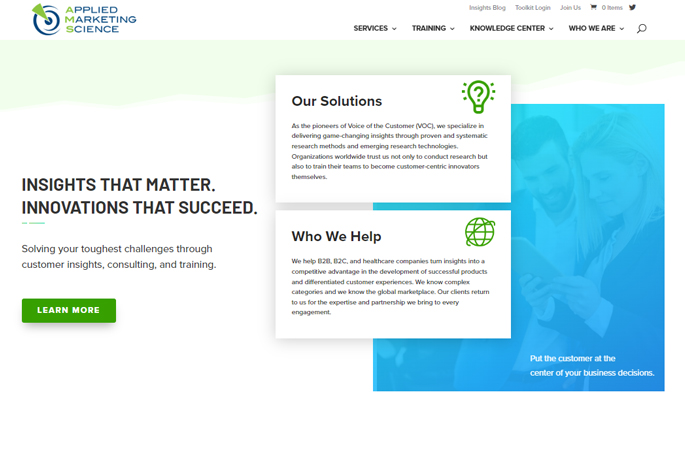
Actual HTW WordPress project image: a design/development example from Applied Marketing Science. The visual demonstrates our WordPress work; it is not a claimed migration result.
Inventory what exists
Capture important URLs, indexable content, downloads, media, templates, forms and existing search signals. We prioritize useful pages, not just the homepage.
Map it into WordPress
Plan page templates, posts, custom content fields, menus, permalink structure, media paths and integrations according to what the old site actually needs.
Validate before launch
Check key URLs, indexing directives, redirects where needed, responsive templates, forms, tracking and content completeness in staging before switching traffic.
One Question Changes the Whole Migration Plan
Are the public URLs changing? If they stay the same, most pages should not need redirects simply because the server changes. If the domain or page paths change, a verified URL-to-URL map and suitable permanent redirects become essential. Google distinguishes hosting-only moves from moves with URL changes.
The Cautionary Lesson: When Valuable URLs and Content Disappear
Imhoff Fine Residential Painting is a redesign-recovery example, not a documented hosting or CMS migration. An earlier replacement site removed much of its established content and URL footprint without suitable redirects; organic traffic fell about 97%. HTW rebuilt useful pages, fixed URL paths and internal links, and traffic returned to roughly its earlier level. Read the full documented case study. Doug shares his experience in the short video below.
HEAR IT DIRECTLY FROM THE CLIENT
What Happens When a Redesign Throws Away Your SEO?
“Look at what happened to my traffic when I went back to Hog the Web... Boom!”
Doug Imhoff, founder of Imhoff Fine Residential Painting. He describes the search visibility crisis following a replacement website and what changed after HTW rebuilt the site.
THE OTHER SIDE OF THE STORY
What Happens When a Redesign Forgets the Existing SEO?
Imhoff Painting's replacement site reduced a content-rich website to roughly five pages without preserving critical old URLs. Organic visits fell from more than 300 per day to fewer than 10. We later rebuilt valuable pages and URL paths, restored traffic to around 300 daily visits within about a month of relaunch, and improved tracked conversions by 75% versus the original site.
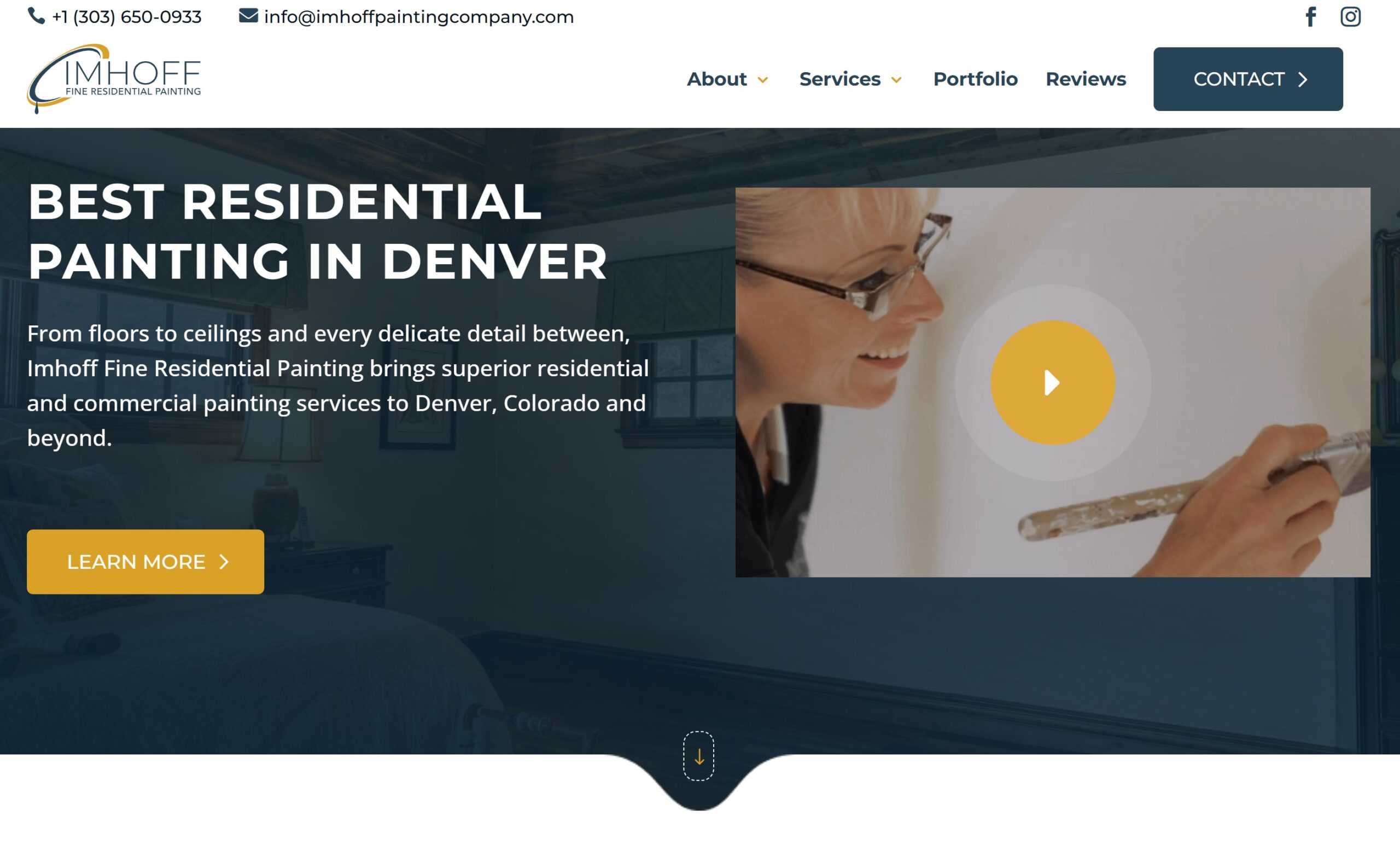
The screenshots below show the original website and our eventual WordPress rebuild, not the failed five-page replacement. The difference we emphasize is the decision to retain useful content and URLs while making the experience better. Read Imhoff's full case study.

THREE DIFFERENT TYPES OF PROJECT
Which WordPress Migration Do You Need?
“Website migration” can mean very different work. The risks, timeline and budget depend on what is moving and whether the public URLs need to change.
CMS → WORDPRESS
Switch platforms
Rebuild content in WordPress
Moving from a site builder or another CMS means planning content types, templates, image libraries, forms and old URL structures. Features that do not have a direct equivalent may need rebuilding or replacement.
Examples: a site builder or older CMS
WORDPRESS → WORDPRESS
Move environments
Transfer your existing WP site
A host/server transfer typically involves site files, database, SSL, DNS, caching, email-related coordination where relevant and a tested cutover. If public URLs stay the same, blanket 301 redirects are not the task.
DOMAIN / URL
Change addresses
Protect old inbound paths
A new domain or permalink structure requires old-to-new URL mapping, relevant redirects, canonical checks, internal-link updates and Search Console monitoring. Never redirect everything blindly to the homepage.
A project may combine more than one scenario. We define the dependencies before quoting rather than assuming every move is a one-click transfer.
WHAT THE TRANSFER ACTUALLY INVOLVES
More Than Moving Files: The Parts We Account For
An automated importer may move page text. It does not necessarily preserve the decisions behind navigation, SEO, lead forms or business-critical features. We scope the migration around the actual website.
Pages, Posts & Media
Move important written content, images, PDFs and page relationships to suitable WordPress structures. Preserve the useful information, not accidental duplicates.
- Pages and blog posts
- Images and downloads
- Categories and internal links
URLs, Redirects & Metadata
Keep existing URLs when reasonable. Map changed paths to relevant destinations and carry across the technical signals that help crawlers understand pages.
- Permalinks and page titles
- Canonical and indexing settings
- 301/308 redirects when appropriate
Design, Forms & Integrations
Recreate layouts and behavior that your visitors need. Forms, scheduling tools, memberships, products or custom functionality are assessed individually rather than promised automatically.
- Responsive WordPress templates
- Forms and conversion paths
- Integration and plugin requirements
DNS, Launch & Analytics
Coordinate the cutover, test the actual live environment and confirm that core tracking and search access still work. Support after launch can be arranged separately.
- Staging and backups
- SSL / DNS checks as relevant
- GSC and analytics verification
VERIFY BEFORE CHANGING DNS
Our Migration Launch Checklist: The Details That Prevent Surprises
The actual tests depend on whether you are changing the CMS, server, domain, or all three. We check both the content people see and the technical signals search engines see. Google’s XML sitemap guidance and canonicalization documentation inform the handoff. “We have had fantastic experiences working with Hog the Web for work on several websites. HTW is highly knowledgeable, responsive to our needs, and able to work quickly and accurately within very tight deadlines.” — Liz Alverson, verified written review
01 · Snapshot the existing website
Back up the source, record important URLs and current behavior, and capture available Search Console/analytics baselines so we know what needs checking later.
02 · Prepare WordPress in staging
Build and check content and templates in a non-production environment. Keep staging from indexing, then confirm blocking rules are removed from the live site.
03 · Verify mapping and functionality
Check changed URL destinations, images, mobile navigation, forms, relevant custom functionality, metadata and internal links. Test representative priority URLs.
04 · Plan the cutover and rollback
Confirm domain/DNS ownership, SSL, backups and responsibilities. Schedule the switch and a rollback approach appropriate to the environment and scope.
HOW A PROJECT RUNS
From Site Inventory to a Tested WordPress Launch
You should know what is being transferred, what is being rebuilt, and who is responsible for the switch. We combine practical WordPress development with an SEO-aware migration plan, rather than treating redirects as cleanup after launch.
1. Audit & inventory
Review the current platform, content, URLs, search signals, existing tools and requirements. Identify items that need manual reconstruction.
2. Build & transfer
Prepare the WordPress environment, migrate the agreed content/media and configure templates, menus, SEO settings and needed integrations.
3. Test & launch
Verify content, redirects, SSL, forms, mobile behavior and tracking. Coordinate publishing and DNS changes with a contingency plan.
4. Monitor & hand over
Review Search Console, server errors and priority-page behavior. Resolve launch issues and document WordPress access and next steps.
After launch, we compare indexing, organic visibility and functionality against the baseline. Some search fluctuation is normal when public URLs change, as Google’s migration documentation explains. A disciplined move reduces avoidable problems but cannot guarantee unchanged rankings.
Clients Who Count on Our WordPress Team
Website migrations demand dependable development and communication. These clients describe their experience with our WordPress, web design and support work; these are not all migration-project testimonials. Read more verified client reviews.
DCAC Live
“They dug into our SEO ... and found issues we didn't even know we had.”
Applied Marketing Science
“I can't say enough good things about the Hog the Web team. They're flexible, communicative, and they offer great ideas and advice.”
The Leelanau School
“They feel less like a contractor and more like a partner who's genuinely invested in helping us”
The French Library
“We've been working with Hog the Web for the past five years and it's been a really good experience for us.”
Follow the Money
“We will be using Hog the Web for many many years to come, and we highly, highly recommend them for you as well.”
SCOPE & PROJECT FIT
What Should Be Included in Your Migration Quote?
A five-page WordPress host move is not the same project as transferring a large legacy site with hundreds of URLs, forms, custom content and a new domain. We scope the real work first. If all you need is hosting support, we will not pretend you need a full redesign.
Bring Us the Current Site
A Clear Starting Point Makes a Safer Transfer
Share your live website, current CMS/host, destination and preferred timing, plus any current traffic/search reports or integrations that must continue working. We can then discuss the transfer plan, testing, redirect needs and realistic scope. Explore our ongoing WordPress SEO services if the project also includes growth work.
“Our company has been working with Levi and the team at Hog the Web for a number of years. They have been consistently professional, knowledgeable and responsive to all types of questions with our website.” — Lynne Francis-Lunn, verified review.
PRACTICAL ANSWERS
WordPress Migration Service FAQs
The critical decisions are often about existing URLs, content completeness, functionality, timelines, and what actually changes when WordPress becomes the destination.
What is included in a WordPress website migration service?
We scope the source-site inventory, WordPress setup, agreed content and media transfer, necessary templates and integrations, SEO/URL mapping, testing, cutover and post-launch checks. More complex data, subscriptions or custom applications are evaluated separately.
Can you move a site from Wix, Squarespace, Webflow or another CMS to WordPress?
We can evaluate migrations from other content-management systems and site builders into WordPress. The exact approach depends on export access, content types, URL patterns and features that may have to be recreated. We confirm feasibility and scope after reviewing the source site.
Can you migrate an existing WordPress site to a new host or server?
Yes, a WordPress-to-WordPress environment transfer is a different scope from rebuilding a site on a new CMS. We consider database/files, plugins, SSL, DNS, caching, forms and tests. Google has a separate guide for hosting changes that leave public URLs unchanged.
Will my Google rankings stay the same after migration?
No ethical agency can guarantee identical rankings during a domain, URL or CMS move. We can plan redirects, carry over useful content/metadata and test important pages to minimize avoidable damage; Google notes that temporary ranking fluctuations may occur during site moves.
Do I need to change every URL when moving to WordPress?
No. When the existing page paths still serve visitors and can be preserved, keeping them is often simpler. For changed URLs, we prepare old-to-new mapping and relevant permanent redirects. Redirecting unrelated old pages to the homepage is not a substitute for a real map.
What if my domain is staying the same?
A migration to WordPress can happen on the same domain. If the public paths also remain unchanged, the redirect workload may be small, though content, indexation, templates, media and functionality still need verification.
Will you move pages, images, PDFs, blog posts and SEO titles?
We inventory and scope valuable content and media, including files with external links. SEO fields and structured content can require mapping or manual work depending on the source CMS and the WordPress setup.
What about forms, custom fields, memberships or an online store?
We assess these individually before estimating. Some systems transfer cleanly; others need rebuilding, integrations, data reconciliation or a phased launch. This is an important reason not to promise a one-click move for every website.
Will the website be offline during the move?
We plan to limit disruption, using staging, backups, coordination and a carefully timed cutover. Exact downtime depends on the host, DNS, platform and project constraints, so we do not promise universal zero downtime.
Is a website migration the same as a redesign?
No. Migration focuses on transferring the site between systems, servers or domains while protecting data and search signals. You can keep much of the design, or commission a redesign as a separate coordinated scope. See our WordPress design and development services.
What if my website has already migrated and lost rankings?
That is a recovery project rather than a planned transfer. See our WordPress technical SEO and recovery services or traffic-drop troubleshooting guide for a starting point.
Ready to Move Your Website to WordPress?
Tell us what platform you are on now, what is moving, and which pages or features you cannot afford to lose. We can help plan a more controlled transition, with SEO and WordPress implementation considered together.