Website Design Cost Calculator 2026: Free 3-Minute Estimate
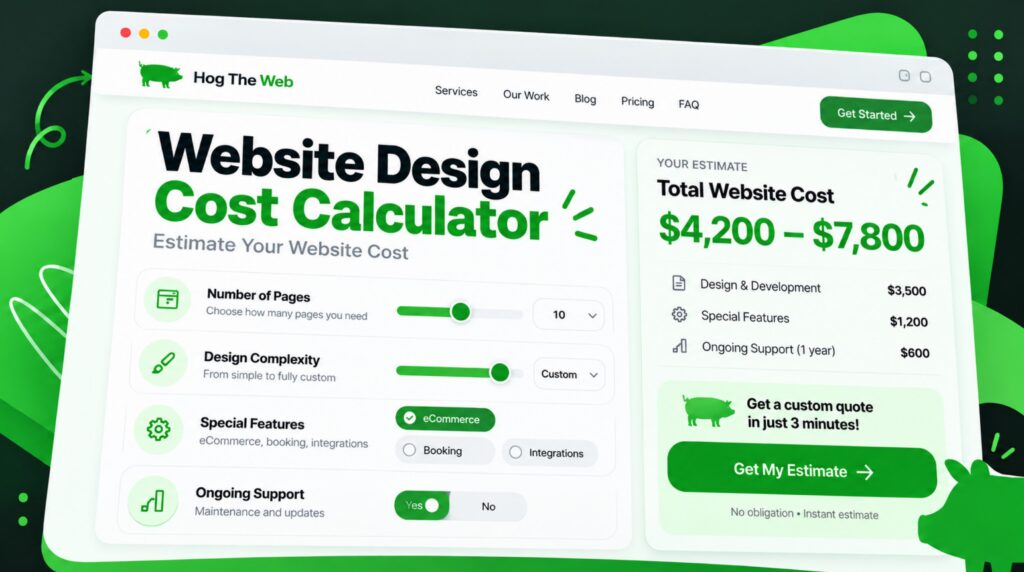
Get a Website Design Cost Estimate in About 3 Minutes
What Does Website Design Cost in 2026?
A professionally designed business website can cost anywhere from a few thousand dollars to $30,000 or more, depending on the size of the site, level of design customization, content, ecommerce needs, integrations, SEO, and custom functionality. Large ecommerce or highly custom web development projects can go much higher.
That is a huge range, which is why a generic average isn’t especially helpful. Use our free website design cost calculator below to answer a few questions about your project and get a more useful ballpark estimate in about three minutes.
You probably don’t need a 40-page proposal just to figure out whether your website project is likely to cost $3,000, $10,000, or $50,000. You need a reasonable starting point.
Our website design cost calculator looks at the things that actually change the amount of work involved, including your site’s size, design requirements, features, ecommerce needs, content, and other project details.
The result is a ballpark estimate, not a final quote. A real quote still requires somebody to look at the details of your particular project. But this should give you a much better idea of the budget range before you start talking to web developers and agencies.
Use the Free Website Design Cost Calculator →
How Much Does Professional Website Design Cost in 2026?
There’s no single number that applies to every website. A five-page site for a local consultant is a completely different project from an ecommerce store with 2,000 products, custom filtering, customer accounts, and an inventory integration.
Current 2026 industry pricing data shows just how wide that range can be. WebFX’s 2026 website cost research puts professional website projects anywhere from roughly $1,000 into the tens of thousands depending on scope. Clutch’s September 2026 web design pricing data reports agency projects ranging from about $2,000 to $100,000, although most projects in its review data cost less than $10,000.
A simple way to think about the market is:
| Website Approach | Very Rough 2026 Budget | Usually Makes Sense For |
|---|---|---|
| DIY / Website Builder | Hundreds to a few thousand dollars | Side projects, very small businesses, temporary sites |
| Freelancer / Basic Professional Build | $1,000–$10,000+ | Smaller sites with fairly straightforward requirements |
| Professional Agency Website | $3,000–$30,000+ | Established businesses needing strategy, design, development, testing, and support |
| Complex Ecommerce / Custom Development | $10,000–$100,000+ | Stores, portals, custom functionality, larger integrations, complex migrations |
These are broad market ranges, not Hog the Web price quotes. Actual pricing varies quite a bit based on scope, provider, complexity, and what is included.
This is also why two website quotes that look wildly different may both be reasonable. One company might be quoting a customized template with six pages. Another might be including strategy, copywriting, SEO, custom design, accessibility work, integrations, testing, analytics, redirects, and ongoing support.
Same word, “website.” Very different project.
What Goes Into a Website Design Cost Calculator?
Whether you call it a website price calculator, website design cost estimator, website estimate calculator, or simply a site cost estimator, its usefulness comes down to the questions it asks.
If a calculator asks only, “How many pages do you want?” the estimate isn’t going to tell you much.
Here are the inputs that tend to matter most.
1. Number of Pages vs. Number of Unique Page Layouts
Page count matters, but not every page costs the same amount to build.
Say you need 50 location pages that all use the same layout. Once the template is built, adding the remaining locations may be relatively straightforward.
Now compare that with a 20-page website where almost every page requires its own layout, custom graphics, unique functionality, and different content structure. The 20-page site could easily require more design and development work than the 50-page site.
When we’re estimating a project, we care about both:
- Total page count
- Number of unique page templates or layouts
- How much content each page contains
- Whether pages can reuse existing components
- Whether old content needs to be migrated
This distinction gets missed in a lot of online website cost estimation tools.
2. Template-Based, Semi-Custom, or Fully Custom Design
A website doesn’t have to be designed from a completely blank canvas to look good. In some cases, starting from a solid framework and customizing it is the sensible approach.
But there is a real difference between changing fonts and colors on an existing template and designing a unique website around your brand, content, conversion goals, and users.
| Design Approach | Cost Impact | What It Usually Means |
|---|---|---|
| Template-Based | Lower | Existing layouts with relatively modest customization |
| Semi-Custom | Moderate | Existing framework with substantial visual and layout customization |
| Custom Design | Higher | Layouts designed around your brand, content, audience, and goals |
| Advanced UX / Custom Application | Highest | User flows, prototypes, custom interfaces, testing, complex functionality |
A business doesn’t always need the most expensive option. It needs the option that makes sense for what the website is supposed to accomplish.
3. Forms, Ecommerce, Memberships, and Custom Features
A standard contact form is simple. A 12-step application that changes questions based on previous answers, calculates pricing, uploads documents, sends data into a CRM, and triggers different email sequences isn’t.
Features that commonly increase website development costs include:
- Ecommerce and WooCommerce
- Payment processing
- Booking and appointment systems
- Membership areas
- User accounts
- Advanced search and filtering
- Directories
- Customer portals
- Custom forms and conditional logic
- CRM integrations
- Email marketing integrations
- API connections
- Interactive maps
- Calculators and quoting tools
A good website development cost calculator needs to account for these things because functionality can add more development time than the visible design itself.
4. Content Creation and Content Migration
Who’s writing the website?
If you already have polished copy, organized images, team bios, product descriptions, testimonials, case studies, and other content ready to go, great. That can keep the project moving.
If an agency needs to interview your team, plan the messaging, write 30 pages, source imagery, edit videos, and reorganize years of old content, that work needs to go somewhere in the budget.
Existing sites also have migration costs. Moving 300 useful pages, cleaning up an old media library, rebuilding forms, and preserving existing URLs is much more involved than launching a five-page website from scratch.
5. Integrations With the Rest of Your Business
Modern websites rarely exist on their own.
You may need your website connected to:
- HubSpot, Salesforce, or another CRM
- Mailchimp or another email platform
- Calendly or scheduling software
- QuickBooks or accounting systems
- Inventory or ERP software
- Payment processors
- Property, job, or product databases
- Marketing automation systems
- Third-party APIs
Sometimes this is a five-minute plugin connection. Sometimes it’s custom development. That’s why “CRM integration” by itself isn’t enough information for an accurate web design estimate.
What If Your Website Needs Its Own Calculator or Estimator?
This comes up more often than you might think.
A contractor may want an instant project estimator. A financial company might need an ROI calculator. An ecommerce company could use a custom price configurator. A B2B company may want prospects to answer a few questions and receive a rough quote before talking with sales.
There are several ways to build that kind of calculator tool.
For a WordPress site, an existing calculator WordPress plugin or quote calculator plugin may already do most of what you need. A visual calculator builder can also work well when the formulas are simple and there aren’t a lot of external systems involved.
More complicated projects are different. Maybe you need:
- Several calculations that depend on one another
- A custom price calculator template designed around your brand
- User-entered data saved to an account
- The result sent into your CRM
- Different pricing rules for different customers
- PDF estimates generated automatically
- A calculator tied to live product or inventory data
At that point you’re getting closer to a small calculator app built into the website, and a web developer may need to create or customize the logic.
That’s why a basic plugin installation and a custom quoting system shouldn’t carry the same line item in a web development price calculator.
Need Your WordPress Website to Do More?
From custom features and integrations to interactive forms and calculators, we can build functionality around the way your organization actually works.
Planning and Strategy Costs Are Easy to Forget
Some of the most important website work happens before anybody starts styling buttons.
For a straightforward project, planning might be relatively light. For a larger redesign, it can include:
- Project goals and success metrics
- Audience and customer research
- Competitor research
- Content inventory
- Site architecture
- Navigation planning
- Wireframes
- Conversion paths
- SEO research
- Redirect planning
- Technical requirements
- Analytics and tracking requirements
This is also where scope gets cleaned up.
Maybe the original idea calls for 12 custom templates, but six can actually share a layout. Maybe a complicated feature can wait until phase two. Maybe an existing plugin handles something that looked like custom development at first.
Good planning sometimes adds hours at the beginning and saves a lot more hours later.
If you’re comparing bids, a website design cost estimate template can be helpful. Just make sure you’re comparing the same scope. One proposal might include content migration and redirects while another quietly assumes you’ll handle all of it yourself.
WordPress and CMS Costs
Most business websites need a content management system, or CMS, so somebody can edit pages without calling a web developer every time a sentence needs to change.
WordPress remains the most widely used CMS by a big margin. According to W3Techs data from September 2026, WordPress is used by about 40% of all websites and has roughly 59% of the CMS market among websites where a CMS can be identified.
WordPress itself is open-source software. But a WordPress website isn’t automatically cheap.
The price still depends on:
- Design complexity
- Number of templates
- Premium plugin licenses
- Custom plugin development
- WooCommerce requirements
- Content migration
- Integrations
- Performance requirements
- Security requirements
- Ongoing maintenance
If you’re specifically planning a WordPress project, we have a separate WordPress website cost calculator. That page goes deeper into WordPress-specific expenses, so we won’t repeat all of that here.
Don’t Leave SEO Until After the Website Is Built
This is one area where saving money in the wrong place can get very expensive.
If you’re building a brand-new website with no rankings or traffic, SEO planning may be fairly simple. If you’re redesigning an established site, the situation is different.
Your existing site may already have:
- Pages ranking in Google
- Backlinks pointing at old URLs
- Years of indexed content
- Service pages bringing in leads
- Blog posts earning traffic
- Internal links distributing authority
- Schema markup
- Analytics and conversion tracking
That value shouldn’t get bulldozed because somebody wanted a cleaner sitemap.
Google’s own site migration documentation recommends mapping old URLs to their new destinations and implementing redirects when URLs change.
We’ve seen the ugly version of this firsthand. In our website redesign SEO recovery case study, another redesign reduced an established, content-rich site to only a handful of pages. Organic traffic fell from more than 300 visits per day to fewer than 10.
Hog the Web recovered useful pages and original URL paths, rebuilt missing content, fixed redirects and internal linking, and relaunched the website. Organic traffic returned to roughly 300 visits per day within about a month. Tracked conversions also increased 75% compared with the client’s original pre-crash website.
That’s an extreme example. Still, the lesson is simple: if your current website already has SEO value, preservation needs to be part of the website budget.
If you’re planning a redesign specifically, use our website redesign cost calculator for a more focused estimate.
What SEO Work Might Be Included in a Website Project?
Depending on the site, SEO-related work can include:
- Keyword and search-intent research
- Page mapping
- SEO titles and meta descriptions
- Heading structure
- Content improvements
- Internal linking
- URL planning
- 301 redirects
- Schema markup
- Image optimization
- XML sitemap setup
- Analytics and Google Search Console configuration
- Technical QA before and after launch
For businesses that want ongoing search growth after launch, that’s a separate conversation. You can see how we approach that on our WordPress SEO services page.
Website Costs That Continue After Launch
The initial build isn’t the last website expense you’ll ever have. A website is business software. It needs care.
Ongoing expenses may include:
- Web hosting
- Domain renewals
- Premium plugin or software licenses
- Security monitoring
- Backups
- WordPress, theme, and plugin updates
- Technical support
- Content changes
- Performance improvements
- SEO and marketing
The amount varies enormously. A simple brochure site might need very little ongoing work. A busy ecommerce site or membership website may need active technical support every month.
We’ve got a separate website maintenance and upkeep cost calculator for that reason. Keeping ongoing costs on their own page helps you estimate the build here without mixing two very different budgets together.
Freelancer vs. Agency: How Much Does the Team Change the Price?
Quite a bit.
A freelancer usually has less overhead and may be able to offer a lower project price. For a small or straightforward project, that can be a perfectly good option.
An agency typically costs more because you’re paying for a broader team and more process. Depending on the agency, a project might involve a strategist, designer, front-end developer, back-end developer, project manager, copywriter, SEO specialist, and QA tester.
Neither model is automatically better.
| Option | Possible Advantages | Possible Trade-Offs |
|---|---|---|
| Freelancer | Lower overhead, direct communication, flexible | One person’s capacity and skill set may become a bottleneck |
| Small Agency | Broader skills without too many layers | Usually costs more than a solo freelancer |
| Large Agency | Specialists, processes, capacity for large projects | Higher overhead and potentially more layers of communication |
If you’re actively deciding between the two, our freelancer vs. agency website cost calculator goes deeper into that particular decision.
Outstanding company. I've worked with Levi and the entire HTW team on 6 website projects over a number of years and have used their ongoing service/maintenance on each. Creative, responsive and a great aptitude for thinking outside-of-the-box. Extraordinary delivery too.
PS: We've even divested of a few companies and they opt to remain as HTW clients today. Bravo!
Working with Hog the Web is all about a world class expereince. They are creative, innovative and will help you address all of your concerns. They are simply Fabulous.
We have had fantastic experiences working with Hog the Web for work on several websites. HTW is highly knowledgeable, responsive to our needs, and able to work quickly and accurately within very tight deadlines.
How to Get a More Accurate Website Quote
An online website quote calculator is useful for narrowing the range. The next step is giving a web developer enough information to quote the work properly.
You don’t need to write a 60-page RFP. In fact, please don’t unless you really need one.
But try to have answers to these questions:
- Why are you building or redesigning the website? What problem are you trying to solve?
- How many pages do you expect? Even a rough number helps.
- Which pages need unique designs?
- Do you need ecommerce? If yes, roughly how many products?
- What special functionality is required?
- Which third-party systems need to connect to the website?
- Who is supplying the copy and images?
- Is there an existing website? If so, how much needs to be migrated?
- Does the existing website receive organic search traffic?
- Do you have a deadline? And is it a real deadline or just a preferred date?
- What budget range are you trying to stay within?
The more specific those answers are, the smaller the gap between your initial web design estimate and the eventual proposal.
What Should You Look for in a Website Proposal?
Don’t compare proposals using the total price alone.
A $6,000 proposal isn’t automatically a better deal than a $10,000 proposal if the cheaper option leaves out half the work you’ll eventually need.
Look for clear answers around:
- How many pages and templates are included?
- Is the design custom or template-based?
- Who writes the content?
- Are revisions limited?
- Is mobile design included?
- Are forms included?
- Are integrations included?
- Who handles content migration?
- Are redirects and SEO preservation included?
- Is analytics tracking configured?
- Who handles testing?
- What happens after launch?
- Are plugin and software licenses included?
- Who owns the website and its assets?
- How are out-of-scope changes billed?
Also ask what isn’t included. That’s often where the surprises live.
Should You Choose the Cheapest Website Quote?
Sometimes. If your needs are simple and the cheaper provider can clearly deliver them, there is no prize for paying more than necessary.
But website pricing gets dangerous when you’re comparing only the number at the bottom.
A low-cost website that has to be rebuilt a year later isn’t cheap. Neither is a redesign that loses valuable rankings, a site your staff can’t edit, or custom functionality that only the original developer understands.
For most established businesses, we’d look at four things together:
- Scope: Are they actually quoting the same project?
- Experience: Have they handled similar work before?
- Process: How will the project be planned, reviewed, tested, and launched?
- Long-term fit: Can they help after launch when something changes or breaks?
Price absolutely matters. It just shouldn’t be the only thing that matters.
Ready for a Website That Works Harder?
A successful redesign should do more than make your website look better. We can improve its usability, performance, messaging, and ability to turn visitors into customers.
What Clients Say About Working With Hog the Web
Website projects can last for months, and the relationship often continues long after launch. Responsiveness, communication, and the ability to actually solve technical problems matter quite a bit once you’re in the middle of one.
When Does It Make Sense to Talk With a Web Developer?
If you’re still figuring out whether you need five pages or fifty, use the calculator first.
If you already know the broad scope and you’re trying to work through integrations, custom features, SEO migration, or how to phase a larger project, that’s usually the point where a conversation is more useful than another calculator.
At Hog the Web, we build and support WordPress websites for businesses that need more than a quick template setup. That can mean a full redesign, a complicated integration, custom functionality, ongoing development help, or simply taking an existing website that has become difficult to manage and making it work better.
You can learn more about our approach to custom website design and development, or use the estimator at the top of this page to get a ballpark number first.
Frequently Asked Questions About Website Design Costs
How accurate is a website design cost calculator?
A website design cost calculator can give you a useful ballpark range if it asks detailed questions about pages, design, functionality, ecommerce, integrations, content, and other requirements. It should not be treated as a binding quote. A developer still needs to review the exact scope before giving you a final price.
What is the biggest factor in website design cost?
Usually it is overall project complexity. The number of unique page layouts, custom functionality, integrations, ecommerce requirements, content needs, and design customization all affect how many hours the project requires. Page count matters too, but 50 similar pages may be easier to build than 20 completely different ones.
How much does a professional website cost in 2026?
Professional website pricing varies widely. Current 2026 industry pricing guides show projects ranging from a few thousand dollars to $30,000 or more, with complex ecommerce and custom development projects potentially reaching $50,000 to $100,000+. The right range depends on what the website actually needs to do.
What’s the difference between a website price calculator and an exact quote?
A website price calculator uses standard assumptions to generate an estimated range. An exact quote is based on your real requirements, including design scope, page templates, content, integrations, migration work, functionality, timeline, and technical constraints.
Does WordPress make a website cheaper?
Sometimes. WordPress provides a flexible existing CMS and a very large ecosystem of themes and plugins, which can reduce the amount of functionality that needs to be built from scratch. But a highly customized WordPress site can still be a substantial project. Design, content, integrations, ecommerce, custom development, and migration work usually matter more than the CMS name alone.
Should SEO be included in a website redesign?
Yes, particularly if your current website already receives organic traffic. Existing URLs, rankings, backlinks, content, internal links, metadata, analytics, and redirects should be considered before launch. Fixing an SEO migration after rankings disappear is usually harder than planning it correctly from the start.
How much does ecommerce add to a website?
It depends on the store. A relatively small WooCommerce shop with standard payment and shipping requirements may add a manageable amount of work. A large catalog with subscriptions, advanced filtering, inventory integrations, customer-specific pricing, custom checkout rules, or other special requirements can add substantial development time.
Do website quotes include hosting and maintenance?
Not always. Hosting, security monitoring, backups, software updates, premium plugin licenses, technical support, and ongoing content changes may be separate from the initial website build. Ask your provider to spell out what happens after launch and what recurring costs you should expect.
Is it cheaper to hire a freelancer or a web design agency?
A freelancer is often less expensive because there is less overhead. An agency typically costs more but may provide several specialists, project management, testing, and ongoing support. The better option depends on the size and complexity of your project, not just the hourly rate.
Can I calculate website cost before I know every detail?
Yes. You don’t need a finished specification to get an early website cost estimate. Start with what you know: approximate page count, type of website, design level, important features, ecommerce needs, integrations, content, and whether an existing site needs to be migrated. The estimate can be refined as the scope becomes clearer.
Get Your Website Cost Estimate
If you’re still in the budgeting stage, start with the calculator. It takes about three minutes and should give you a useful range to work with.
If you’ve already got a project in mind and want somebody to look at the details, start a conversation with Hog the Web. We’ll help you sort out what the website actually needs, what can probably wait, and what you should budget for before anybody starts building.