Why Is My WordPress Website So Slow and Is It Costing Me Leads?
A slow WordPress website is more than an annoyance. If important pages take too long to display or respond, potential customers may leave before they understand your offer, see your proof, or submit a form.
At Hog the Web, we treat website speed as part of a larger conversion system. After more than 10 years working with WordPress websites for 300+ businesses, the useful question is rarely, “How do we get a perfect PageSpeed score?”
It is: Which performance problems are affecting real visitors on the pages that matter to the business?
Why Is My WordPress Website So Slow?
Usually because several layers are adding delay at once, not because WordPress has one universal speed problem.
The official WordPress performance documentation identifies hosting, WordPress configuration, software versions, themes, plugins, image sizes, caching, and database behavior as factors that can affect performance. WordPress Performance Optimization documentation
That means “make the site faster” is not a diagnosis.
One page might be waiting on a slow server. Another could be downloading oversized images or executing too much JavaScript. A third could be making unnecessary database requests.
Key Takeaway
We would rather identify the actual bottleneck first than install another optimization plugin and hope its default settings solve it.
How Slow Is Too Slow for a Business Website?
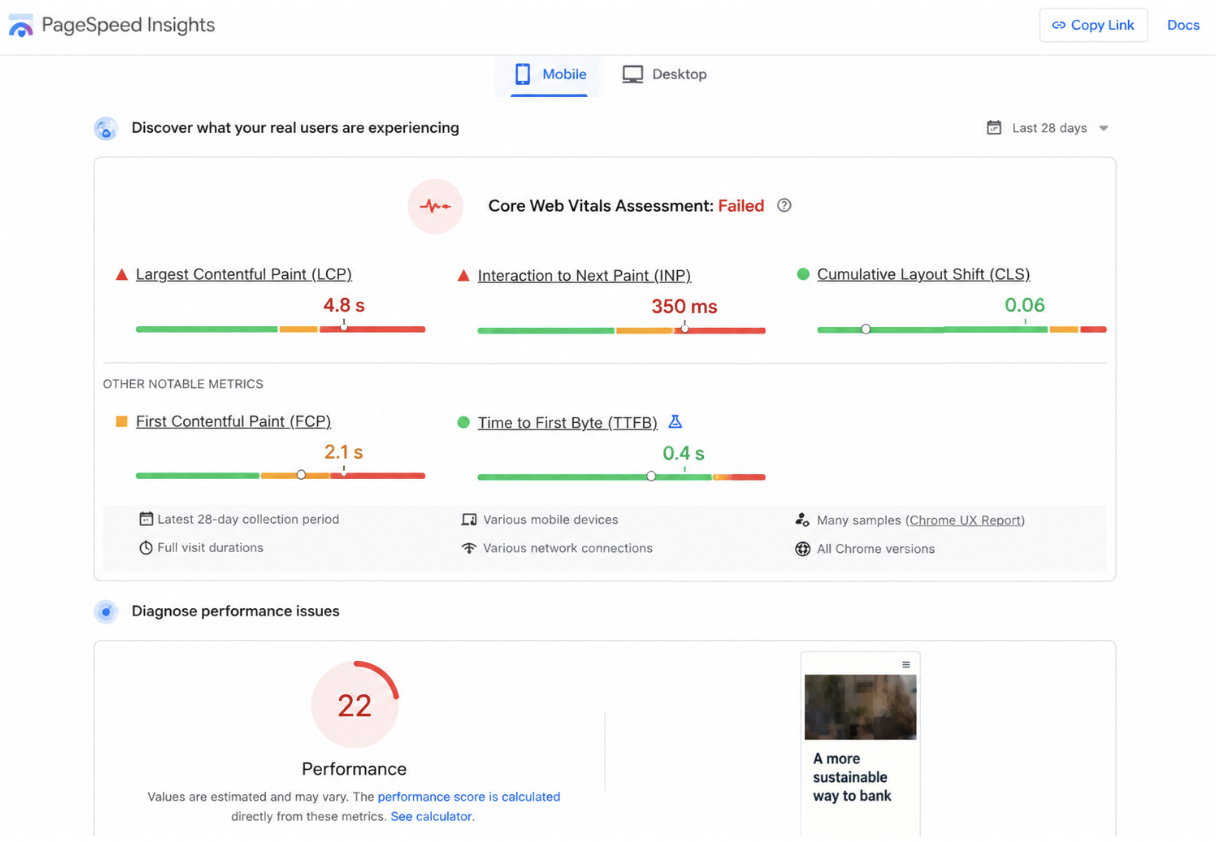
Use real-user Core Web Vitals as a starting point instead of judging speed from your own computer.
Google defines good Core Web Vitals as:
- LCP: within 2.5 seconds
- INP: under 200 milliseconds
- CLS: below 0.1
These measure loading performance, responsiveness, and visual stability.
More importantly, Google’s Chrome User Experience Report (CrUX) is based on eligible real Chrome users across actual devices and network conditions.
Real-World Perspective
If real mobile visitors are struggling with a service page while your developer says it loads instantly on a fast desktop connection, optimize for the customer, not the developer’s laptop.
Can a Slow WordPress Website Actually Cost Leads?
Yes, although the best way to prove it is to connect performance data with business outcomes rather than assume every lost lead came from speed.
A 2025 web.dev case study on real estate platform Fotocasa documented major INP improvements. Those performance changes, together with other initiatives, contributed to a 27% increase in contact and phone lead ads.
T-Mobile found a similar relationship between performance and commercial outcomes. Its analysis showed bounce rates increasing and conversion rates declining as pages became slower. After broader performance work reduced LCP by 42%, prospect visit-to-order rate improved by 60%.
Those percentages are not promises for another website. They demonstrate why speed belongs in a lead-generation conversation rather than being treated as an isolated technical metric.
Strategic Focus
The strongest business case for speed optimization is usually a slow page that already receives qualified traffic. Improving an obscure blog post may matter less than fixing the service page where prospects request quotes.
Why Can My PageSpeed Score Look Bad When My Website Seems Fine?
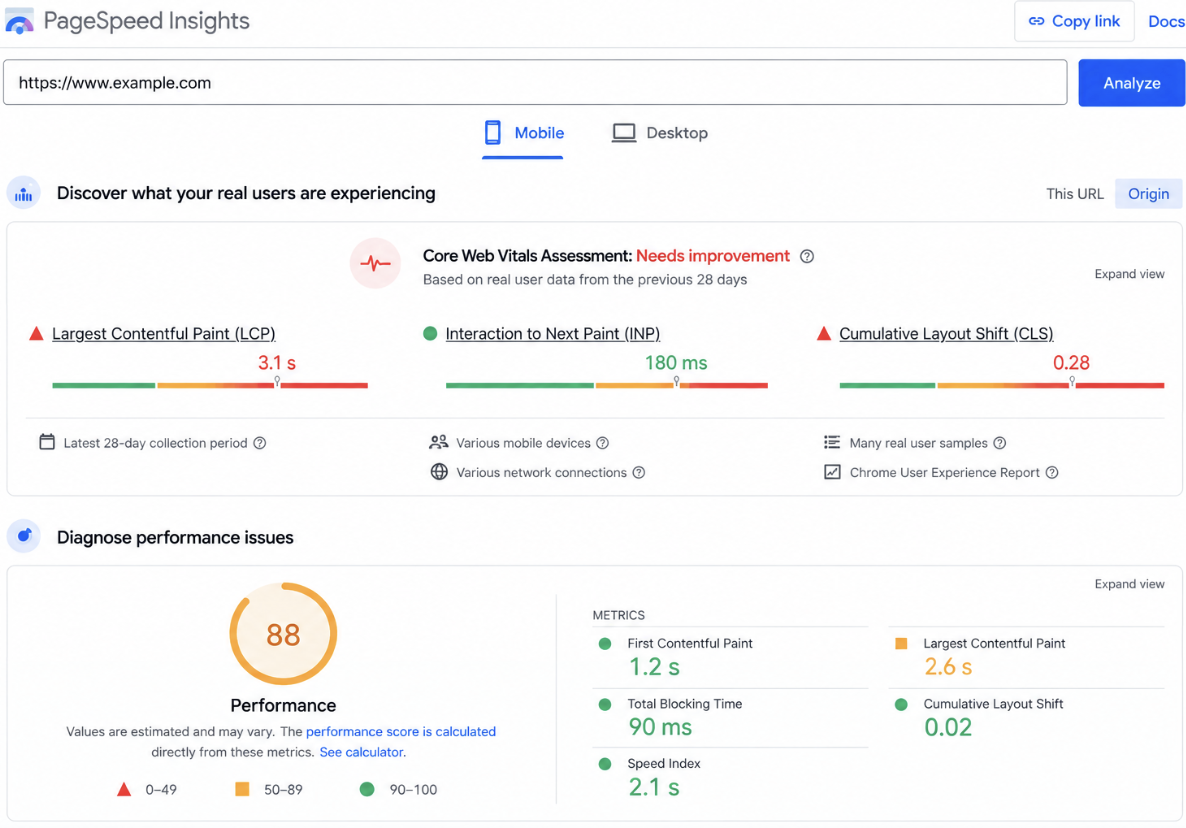
Because PageSpeed Insights gives you both controlled laboratory measurements and real-user field data, and they answer different questions.
Google explains that Lighthouse lab data is useful for diagnosing technical issues under controlled conditions. Field data, meanwhile, reflects real Chrome-user experiences collected across a rolling 28-day period.
Google also notes that a green Lighthouse score of 90 or higher does not automatically mean your real users are receiving a good experience.
Bottom Line
A score is evidence, not the objective. The objective is making important pages consistently fast for the people actually using them.
What Usually Makes WordPress Pages Heavy or Slow?
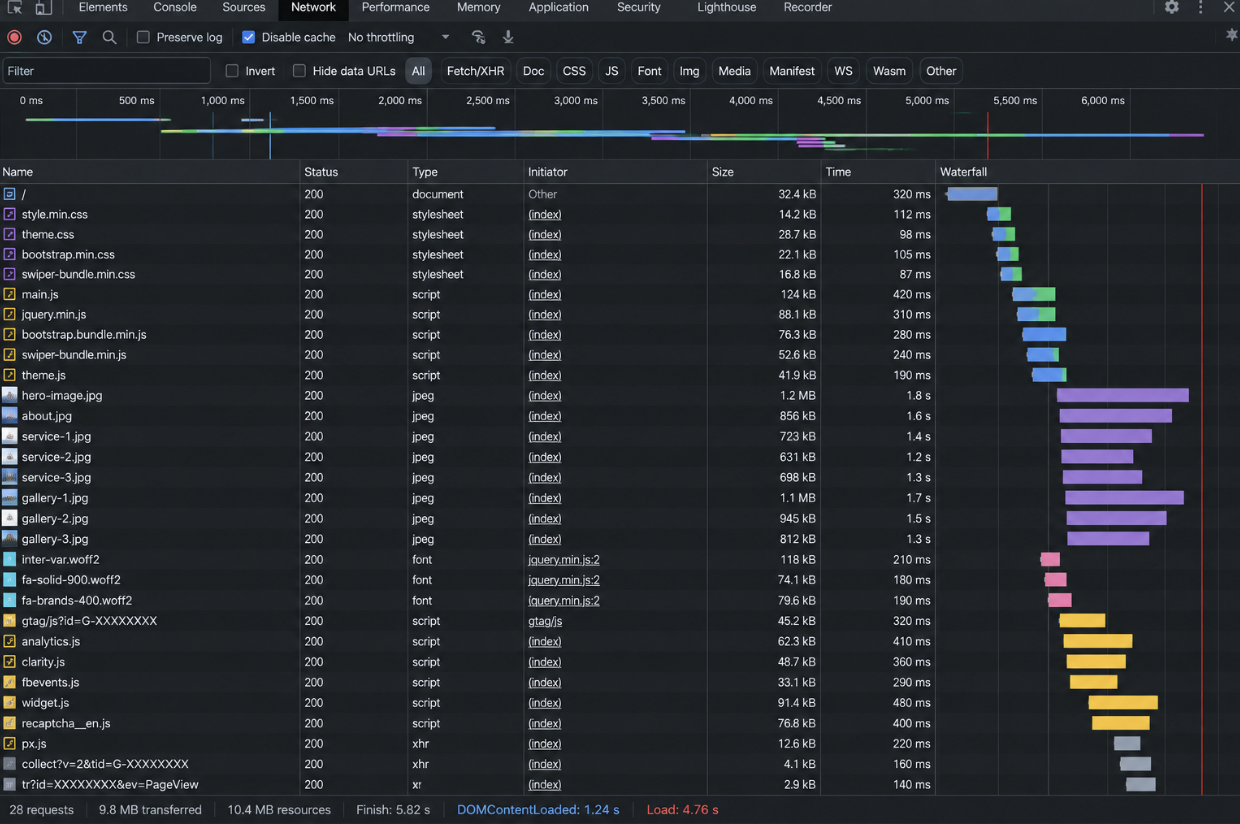
Factors that lead to poor performance may include ineffective plugins or themes, large media files, inefficient caching, server limitations, database inefficiencies, and an abundance of code at the front end.
In WordPress’ optimization guidebook, the process may involve removing unnecessary plugins, optimizing images, reviewing hosting and server setup, and adding caching when needed.
According to WordPress, caching is the fastest way to improve performance since the static version of pages can be delivered without having to rebuild them using PHP and the database.
But caching does not fix everything.
What to Keep in Mind
A caching plugin can hide some symptoms while leaving oversized assets, third-party scripts, database problems, or weak hosting untouched. “We installed a speed plugin” is not the same thing as “we fixed performance.”
How Does Hog the Web Diagnose a Slow WordPress Website?
We recommend an HTW Speed-to-Lead Audit: measure the real experience, identify the technical bottleneck, then prioritize fixes based on their business importance.
1. Real-User Speed
Check Core Web Vitals, CrUX data, mobile versus desktop performance, and affected URL groups.
2. Delivery
Review hosting, server response times, caching, CDN behavior, and database workload.
3. Page Weight & Code
Inspect images, fonts, JavaScript, CSS, themes, plugins, and third-party scripts.
4. Lead-Path Exposure
Determine whether performance issues affect service pages, location pages, quote forms, contact pages, or other high-intent parts of the website.
Hog the Web recently applied this broader technical approach in its work for Overwatch.
The project included fixing JavaScript and CSS bloat, render-blocking fonts, image optimization issues, broken links, sitemap problems, and other technical concerns. The documented PageSpeed performance score improved from 74 to 95, while Semrush Site Health improved from 82% to 93%.
We would not claim that speed alone caused Overwatch’s later SEO growth. The useful takeaway is that performance was treated as one measurable part of a stronger WordPress and search foundation.
What Should I Fix First on a Slow WordPress Website?
Stop auto-fixing whichever audit warning looks most exciting rather than the issue affecting your most valuable real users.
Focus on high-intent pages that already drive traffic or conversions, looking at how real visitors interact with them alongside your technical metrics and lead numbers.
Next, focus on the bottleneck that creates the most friction.
Hog the Web can help you determine whether slow loading speeds on your WordPress website, failing Core Web Vitals, or not getting enough traffic or inquiries is due to hosting, code, plugins, content delivery, or the entire conversion experience.
The goal isn’t to score 100 every time.
It is a WordPress site that works consistently, enables your marketing to work for you, and makes it easier to turn qualified visitors into leads.
Contact Hog the Web to discuss WordPress performance, SEO, web development, and ongoing website support.