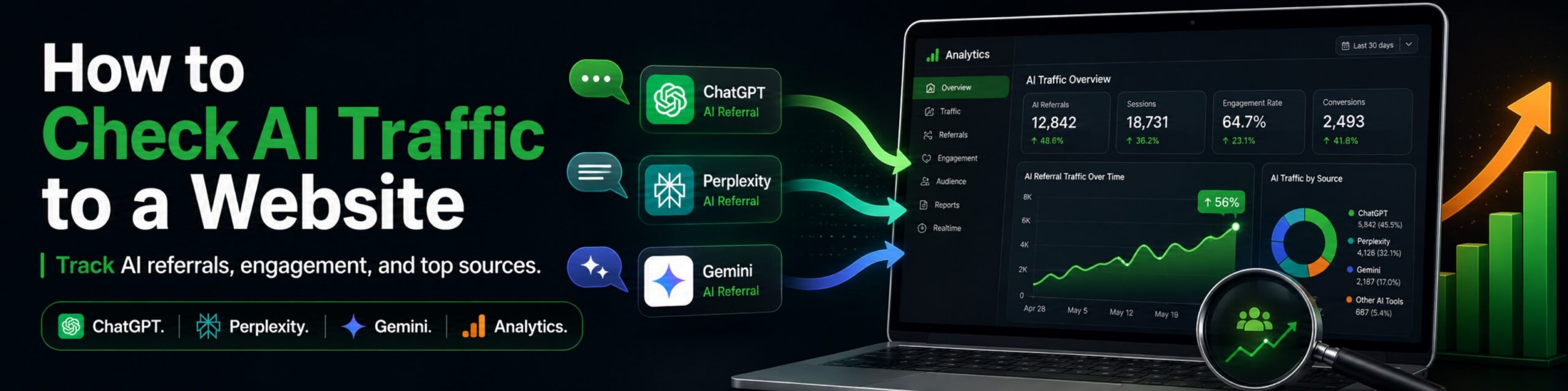
Trying to figure out how to check AI traffic to a website has gotten a lot more interesting lately. ChatGPT, Gemini, Perplexity, Claude, Google AI Mode, and other AI-driven experiences can all influence how people discover a website, but they don’t all show up in analytics the same way.
And there’s one important catch: AI traffic, AI citations, and AI crawler activity are three different things. Mixing them together can make the numbers pretty misleading.
In this guide, we’ll show you the practical ways we use to measure AI visibility and actual AI-referred visitors in 2026, including Google Analytics 4, our free AI Traffic Checker, Google Search Console, Microsoft Clarity, and server logs.
Key Takeaways
- The fastest way to check actual AI referral traffic is through GA4 by filtering for known AI referral sources such as ChatGPT, Perplexity, Claude, Gemini, and Copilot.
- Our free AI Traffic Checker connects to your own GA4 property through Looker Studio and automatically organizes AI referral traffic by source, landing page, device, and date.
- AI referral traffic is not the same as AI visibility. A page can be cited or used in an AI answer even if nobody clicks through to your website.
- Google Search Console’s Generative AI performance report can show which pages receive impressions in Google AI Overviews and AI Mode.
- Microsoft Clarity is especially useful for measuring AI citations, cited pages, grounding queries, Share of Authority, and competitors.
- Server logs are useful for identifying AI crawler activity, but crawler requests should not be confused with human referral sessions.
- AI referral traffic is still relatively small for most websites. That doesn’t make it useless. The real question is whether the visitors you do receive engage, convert, and support your business goals.
The Fastest Way to Check AI Traffic to Your Website
The easiest way to check AI referral traffic is to filter your website analytics for known AI referral sources.
If you use Google Analytics 4, go to your Traffic Acquisition reports and look at the source or source/medium dimension. Depending on the AI platform and how it passes referral information, you may see sources related to:
- ChatGPT
- Perplexity
- Claude
- Gemini
- Microsoft Copilot
- Other AI assistants and search tools
OpenAI makes this especially convenient for ChatGPT Search. Referral links from ChatGPT include the parameter:
?utm_source=chatgpt.comThat gives analytics platforms such as GA4 a much cleaner signal that the visitor actually clicked through from ChatGPT.
If you don’t feel like building GA4 filters manually, we created a free AI Traffic Checker that does most of the organization for you.
It’s basically a pre-built Looker Studio dashboard plugged into your own GA4 data. Nothing particularly magical. Just useful.
What Does “AI Traffic” Actually Mean?
When we talk about AI traffic, we usually mean a human visitor who clicked from an AI platform and landed on your website. That is different from an AI citation or an AI crawler visiting your server.
There are really three separate things worth measuring:
| Metric | What It Means | Where We Measure It |
|---|---|---|
| AI Referral Traffic | A human clicks a link from an AI platform and visits your website | GA4, Hog the Web AI Traffic Checker, Ahrefs Web Analytics |
| AI Visibility / Citations | An AI answer uses, cites, links to, or mentions your content or brand | Microsoft Clarity, Semrush, Ahrefs Brand Radar and other AI visibility tools |
| AI Crawler Activity | An automated AI bot requests pages from your website | Server logs, CDN logs, bot-management tools |
These things overlap, but they are not interchangeable.
For example, an AI system might cite your article 100 times without generating 100 visits. Maybe only five people click.
On the other hand, an AI crawler might request your page dozens of times without any human seeing the page at all.
This distinction matters a lot when evaluating whether your AI SEO efforts are actually working.
1. Check AI Referral Traffic in Google Analytics 4
GA4 is still our starting point when the question is simple: “How many actual people are clicking to our website from AI platforms?”
In Google Analytics 4, open your Traffic Acquisition report and review traffic by source or source/medium.
Known AI referrals may appear with recognizable domains or campaign parameters. ChatGPT Search, for example, can pass:
utm_source=chatgpt.comOther platforms may pass recognizable referral domains.
What to Look at in GA4
- Sessions: How many visits came from AI sources?
- Users: How many actual visitors did those sessions represent?
- Landing pages: Which pages are attracting AI referrals?
- Engagement rate: Do AI visitors actually interact with the page?
- Average engagement time: Are they spending meaningful time on your content?
- Conversions: Are they completing forms, purchases, calls, downloads, or other business goals?
Use Our Free GA4 AI Traffic Dashboard
We built the Hog the Web Free AI Traffic Checker because manually rebuilding the same GA4 filters over and over gets old pretty quickly.
The tool is a free Google Looker Studio report that connects directly to your own Google Analytics 4 property.
Once connected, you can see things such as:
- Total AI-referred sessions and page views
- Which AI platforms are sending visitors
- Which pages those visitors land on
- Desktop vs. mobile AI traffic
- AI referral activity across different date ranges
Your analytics data stays inside your own Google Analytics and Looker Studio accounts. Hog the Web doesn’t receive access to your website metrics.
And importantly, the dashboard is designed to measure referral traffic GA4 can actually identify. It is not a complete measurement of every time your website is mentioned or cited by an AI system.
That requires different data.
Why GA4 Will Never Capture Every AI-Assisted Visit
Referral attribution is imperfect.
Some AI platforms pass clean referral information. Others may strip or change referrers. Privacy settings, browsers, apps, redirects, and other technical factors can also cause a visit to appear as:
direct / noneThat means your true AI-assisted traffic may be somewhat higher than what GA4 reports.
But be careful here.
A Direct traffic spike is not proof of AI traffic.
Direct traffic can also come from bookmarks, email, messaging apps, untagged marketing links, privacy tools, offline campaigns, and plenty of other sources.
If GA4 says “Direct,” the honest answer is usually that we don’t know exactly where that session originated.
2. Check Google AI Overview and AI Mode Visibility in Search Console
Google Search Console can now show which pages receive impressions within Google AI Overviews and AI Mode through its Generative AI performance report.
This is one of the biggest improvements to AI-search measurement in 2026.
It is also very different from GA4.
A Search Console generative AI impression means a link to your site was shown to a user inside one of Google’s supported generative search features.
The user does not have to click it.
We use this report to answer questions such as:
- Which pages are getting the most exposure in Google’s AI results?
- Which important pages receive very little AI visibility?
- Is our Google generative AI visibility increasing or declining?
- Is that visibility concentrated on a handful of blog posts?
- Which countries and devices account for the most impressions?
The report currently includes AI Overviews and AI Mode in Google Search.
Google is still rolling the feature out, so you may not see the dedicated Generative AI report in every Search Console property yet.
If you do have access, though, it is one of the best first-party datasets available because the information comes directly from Google.
That makes Search Console especially useful alongside referral analytics:
GA4 tells us who clicked. Search Console tells us where Google gave us generative AI exposure.
You can learn more about how the search experience itself is changing in our guide to Google AI Mode.
3. Use Microsoft Clarity to Measure AI Citations
Referral analytics cannot tell you how often an AI system uses your content without sending somebody to your website.
That is where Microsoft Clarity has become particularly useful for us.
Its AI Visibility and Citations reporting can surface:
- Cited pages: Which URLs from your website are being used as AI sources
- Citation counts: How frequently those pages are being cited
- Grounding queries: Queries AI systems use when retrieving and evaluating your content
- Share of Authority: Your share of citations compared with other cited domains within overlapping qualifying query sets
- Query Topics: Broader themes emerging from your citation activity
- AI referral traffic: The percentage of your sessions Clarity attributes to AI assistants
This gives us a very different view from GA4.
A page might show:
- 200 AI citations
- strong Share of Authority
- but only a handful of actual referral sessions
That doesn’t mean the citations are useless.
It means citation influence and referral traffic are separate metrics.
How We Combine Clarity, Search Console, and GA4
| Tool | The Main Question It Answers |
|---|---|
| GA4 / HTW AI Traffic Checker | Who actually clicked from an identifiable AI source? |
| Google Search Console | Which pages are receiving impressions in Google’s AI Overviews and AI Mode? |
| Microsoft Clarity | Where is our content being cited, and how does that citation authority compare with other sources? |
None of the three gives us a perfect picture by itself.
Together, they get a lot more useful.
4. Use Server Logs to Check AI Crawler Activity
Server logs are the better place to investigate automated AI crawler activity. They should not be used as a substitute for measuring human AI referral traffic.
Every request to your web server can leave information such as:
- User agent
- Requested URL
- Timestamp
- Response code
- IP address
- Referrer, when supplied
That can make server or CDN logs useful for understanding which automated bots are requesting your website and which pages they visit.
How to Review AI Crawler Activity
- Download or access your web server or CDN logs.
- Filter requests by known AI crawler user agents.
- Check which URLs are being requested and how frequently.
- Review status codes to make sure important pages are returning successfully.
- Compare crawler behavior over time rather than reacting to one isolated spike.
Whenever possible, verify crawler information against the AI provider’s own documentation rather than trusting a random list of “AI bots” somebody published six months ago.
Bot names and behavior change.
Frequently.
A Crawler Visit Is Not a Human Visit
This distinction deserves repeating because it caused a lot of confusion in the early AI-traffic reporting world.
If an AI crawler requests your article at 2:13 a.m., that does not mean somebody visited your site from ChatGPT at 2:13 a.m.
It means a bot requested the page.
If a human later sees your article cited in an AI answer and clicks it, that is referral traffic.
Different metric. Different question.
Best Tools for Checking AI Traffic and Visibility in 2026
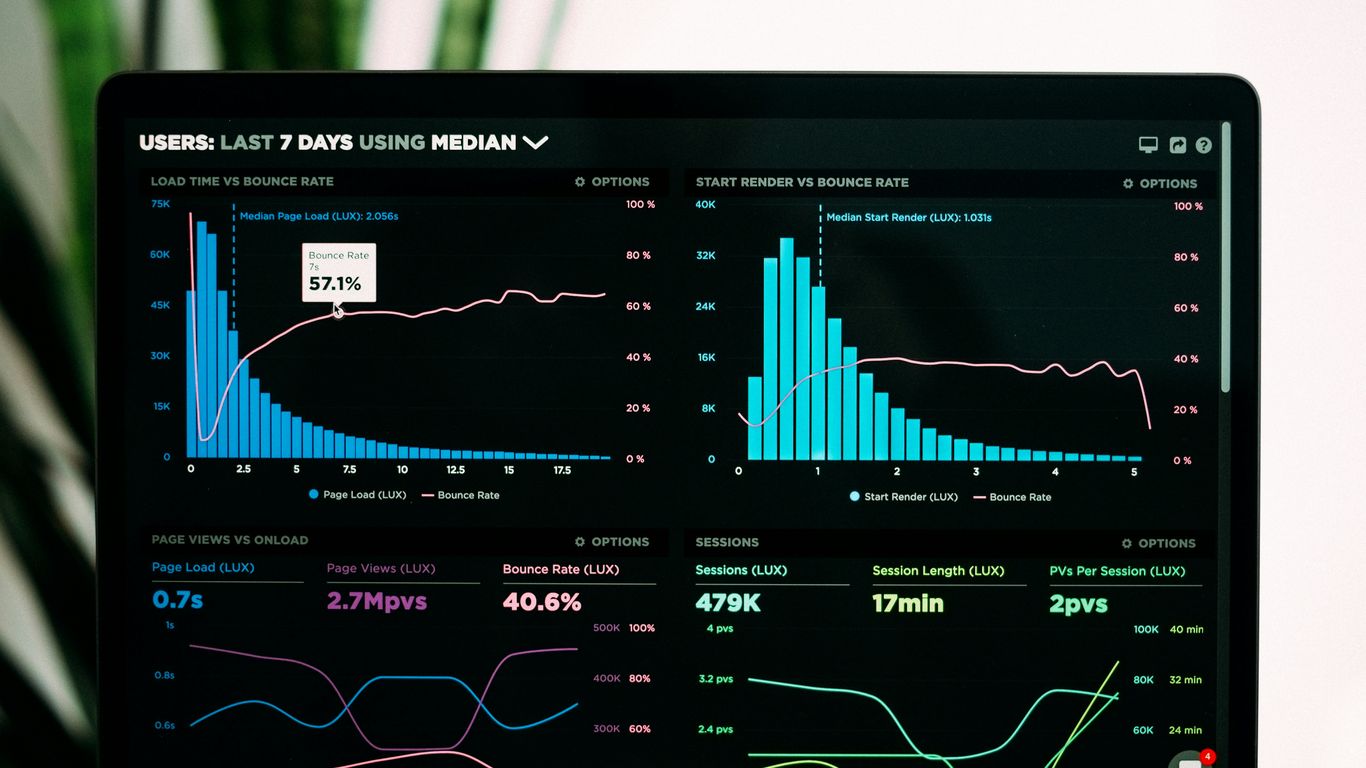
One reason AI reporting gets confusing is that products marketed as “AI traffic tools” often measure completely different things.
Here is how we would separate them:
| Tool | What It Actually Measures Best | Best Use |
|---|---|---|
| Google Analytics 4 | Attributable website sessions, engagement, and conversions | Core AI referral traffic measurement |
| Hog the Web Free AI Traffic Checker | GA4 AI referral sessions organized in Looker Studio | Fast, free AI referral dashboard |
| Google Search Console | Google generative AI impressions | AI Overview and AI Mode visibility |
| Microsoft Clarity | AI citations, grounding queries, Share of Authority, and AI referral trends | Citation and authority analysis |
| Ahrefs Web Analytics | Website analytics including identifiable AI chatbot referrals | Alternative AI referral analytics |
| Semrush | AI visibility, prompts, brand monitoring, and competitive research | Strategic AI SEO monitoring |
Hog the Web Free AI Traffic Checker
Best for: Website owners who already use GA4 and want a simple, free view of AI referral traffic.
The dashboard connects your own Google Analytics property to Looker Studio and automatically organizes identifiable AI traffic.
There is no extra tracking script to install and no separate SaaS subscription.
It is deliberately focused.
If you want to know which AI platforms are actually sending visitors, which pages they land on, and how that traffic changes over time, that is exactly what it is designed to show.
Try the free AI Traffic Checker here.
Ahrefs Web Analytics
Ahrefs Web Analytics is another useful option if you want an analytics platform with AI referral reporting built in.
It can break out traffic from AI chatbots such as ChatGPT, Perplexity, Gemini, Claude, and others, then show which pages those visitors land on and how they behave.
Ahrefs has also published several large AI referral studies using its analytics dataset. In March 2026, its tracker across tens of thousands of websites still found AI chatbot referrals representing only a small fraction of total web traffic.
That is worth keeping in perspective.
AI traffic matters. But for most websites, traditional search is still dramatically larger.
Semrush
Semrush is a search visibility platform that connects AI visibility with SEO and competitive research. Its AI Visibility Toolkit tracks mentions, citations, sentiment, share of voice, prompts, and competitor gaps across major AI platforms.
AI Search Site Audit identifies technical barriers affecting AI crawler access, while the Content Optimizer provides prioritized page-level recommendations for improving visibility across Google and AI search. For larger organizations, Enterprise AIO connects AI performance with GA4 or Adobe Analytics traffic and conversion data, supports revenue attribution, and uses log-file analysis to assess whether AI bots can access the site.
The standard offering focuses more on visibility and optimization than complete traffic attribution. Those deeper analytics are available through Enterprise AIO.
Plans start at $139/mo for SEO. Bundled SEO + AI visibility plans are available at higher tiers. Enterprise AIO pricing is custom (via demo). See Semrush’s pricing page for current details.
Other AI Visibility Platforms
Ahrefs Brand Radar, Peec AI, Profound, and similar products are more useful when your question changes from:
“How many AI visitors did I get?”
to:
“How visible is my brand inside AI answers, and where are competitors beating me?”
If that is what you are trying to measure, see our roundup of the best AI SEO tools for AEO and GEO.
And if the prompt-research side is what you’re interested in, we also compared the best AI prompt mining tools.
How Much Website Traffic Comes From AI?
AI chatbot referrals still represent a relatively small share of total website traffic for most sites, even though the channel has grown quickly.
The exact percentage varies enormously depending on the industry, website, audience, content type, and how the analytics platform attributes referrals.
For some historical context, an Ahrefs study published in June 2025 found that measurable AI referral traffic had grown roughly 9.7x year-over-year.
More recent Ahrefs tracking in 2026 still shows AI referrals representing a small fraction of total web traffic across its broader dataset.
So we would not build a business forecast around AI replacing Google traffic next Tuesday.
But we also wouldn’t ignore it.
The interesting part is that AI platforms are becoming another discovery channel and, in some cases, those referrals can represent users who are already pretty far into the research process.
How to Tell Whether Your AI Traffic Is Actually Valuable
Don’t judge AI traffic only by the number of sessions. Compare how those visitors engage and convert against your other traffic channels.
There have been plenty of studies suggesting AI-referred visitors can be highly engaged.
That does not mean there is a universal “AI visitor” who always spends nine minutes on a website and converts at some magical fixed percentage.
Your own analytics matter more.
Metrics We Recommend Comparing
- Engagement rate
- Average engagement time
- Pages or screens viewed
- Form submissions
- Phone-call or booking conversions
- Purchases or revenue
- Return visitors
For example, suppose AI traffic represents only 1% of your total sessions but generates 4% of your qualified leads.
That is interesting.
On the other hand, if ChatGPT sends 500 visitors who all leave immediately and never convert, raw referral growth is a lot less exciting.
Compare AI Traffic With Organic Search
A simple report can be more useful than a fancy AI score:
| Metric | AI Referrals | Organic Search |
|---|---|---|
| Sessions | Your GA4 data | Your GA4 data |
| Engagement Rate | Your GA4 data | Your GA4 data |
| Average Engagement Time | Your GA4 data | Your GA4 data |
| Conversions | Your GA4 data | Your GA4 data |
| Conversion Rate | Your GA4 data | Your GA4 data |
That’s far more useful than assuming an industry-wide average applies to your website.
Should You Break AI Traffic Down by Country?
Yes, if you have enough data for the comparison to mean anything.
GA4 and other analytics platforms make it easy to segment AI referrals by country, device, landing page, and other dimensions.
This can be useful for businesses serving several markets.
But AI referral samples are still pretty small on many websites.
If you have six Claude sessions from Germany and one person accidentally left the tab open all afternoon, your “average Claude engagement in Germany” is not exactly a market research study.
Wait until you have a meaningful sample before changing your international content strategy around those numbers.
What We’re Seeing on Hog the Web
Our own data illustrates why we don’t use AI referral traffic as the only measure of AI SEO performance.
In a recent review of our Microsoft Clarity data, Hog the Web had reached roughly 19.6% overall Share of Authority within the qualifying citation activity Clarity was tracking.
Some topics were considerably stronger.
Our WordPress Hosting for SEO topic, for example, reached roughly 47.6% Share of Authority.
We were also earning substantial citation activity around:
- Website security and malware scanning
- WordPress website costs
- Website traffic troubleshooting
- WordPress hosting and SEO
But actual AI-referred sessions were still a small percentage of overall website traffic.
That is not contradictory.
It tells us that our content may be influencing AI answers much more frequently than users are clicking from those answers.
It also uncovered another useful problem.
AI systems were frequently using our informational content while our actual WordPress SEO service page had very little commercial AI visibility.
So instead of chasing citation volume for the sake of citation volume, we started working on the relationship between those high-authority informational pages and the commercial SEO topics we actually want Hog the Web to be known for.
That’s a much more useful SEO decision than simply saying:
“Hey, our AI traffic went up 12%.”
How to Increase AI Traffic After You Start Measuring It
Don’t treat AI traffic like a completely separate SEO channel. Use the data to identify opportunities, then strengthen the same fundamentals that make your website useful, crawlable, trustworthy, and authoritative.
For Google specifically, the company has been pretty clear that optimizing for its generative AI search experiences is still SEO.
There isn’t a magic AI schema type.
You don’t need to rewrite every paragraph into three-sentence “LLM chunks.”
And publishing 400 near-duplicate pages for every imaginable chatbot prompt is not a clever shortcut.
1. Answer Important Questions Clearly
When a section asks a question, give the answer quickly.
Then support it with:
- Examples
- First-party experience
- Statistics
- Screenshots
- Case studies
- Trusted external sources
Clear writing is helpful for both people and retrieval systems.
2. Add Information Other Websites Don’t Have
Generic summaries are easy to reproduce.
Your own data isn’t.
That might mean publishing:
- Real client results
- Original screenshots
- Experiments
- Pricing observations
- Expert opinions
- Firsthand implementation lessons
We’ve increasingly made this part of our own content strategy because there is not much value in publishing the 917th article that says exactly what every other SEO article says.
3. Strengthen Internal Linking and Topic Relationships
If an informational article earns citations around a topic related to one of your services, make sure the relationship is obvious.
That does not mean cramming a sales link into every paragraph.
It means building logical pathways between:
- Educational content
- Supporting guides
- Tools and calculators
- Case studies
- Commercial service pages
This helps users navigate the site and gives search systems clearer context around how your content fits together.
4. Keep the Site Technically Accessible
Normal technical SEO still matters:
- Important pages should be crawlable
- Canonical tags should be correct
- Redirects should work properly
- Pages shouldn’t accidentally be noindexed
- Internal links should point to the correct URLs
- The website should load reliably
For platforms outside Google, you may also want to review whether their search-specific crawlers are allowed to access content you want surfaced.
For example, OpenAI says websites that want content discoverable in ChatGPT Search should allow its OAI-SearchBot to access those pages.
That is separate from GPTBot, which relates to potential model training.
5. Earn Authority Beyond Your Own Website
AI systems don’t only learn about a company from that company’s own sales page.
Third-party sources matter too.
Depending on the query, this can include:
- Industry publications
- Directories
- Reviews
- Comparison articles
- Forums
- Reddit discussions
- Backlinks and brand mentions
This becomes particularly important for commercial prompts such as:
Which companies offer the best WordPress SEO services?
An AI system may put more weight on independent sources comparing providers than on a provider saying, “We’re the best!” on its own website.
Fair enough.
What If You’re Getting AI Visibility but Not AI Traffic?
Being cited by AI doesn’t automatically produce clicks. The next step is figuring out whether the pages earning visibility support your actual business goals.
We look at AI citation data, Google generative-search impressions, referral traffic, landing pages, and commercial prompt visibility together.
If informational articles are earning a large number of citations while service pages remain invisible, there may be several opportunities:
- Strengthen contextual internal links to relevant commercial pages
- Improve the service page’s answers to common buyer questions
- Create supporting content around commercial decision-making topics
- Build third-party authority and brand mentions
- Improve topical relationships across the site
That’s part of how we approach our WordPress SEO and AI search optimization services: using visibility data to guide actual content, technical SEO, internal linking, and authority-building work rather than treating citations as another vanity metric.
Wrapping Up: Measure the Right Kind of AI Activity
AI-driven website traffic is worth tracking, but it helps to be precise about what we’re actually measuring.
If someone clicks from ChatGPT to your website, that’s AI referral traffic.
If Microsoft Clarity shows your article being used as a source, that’s an AI citation.
If an automated bot requests your page from the server, that’s AI crawler activity.
Those three signals can tell very different stories.
For our own work, we like the combination of:
- GA4 and our free AI Traffic Checker for actual referral sessions
- Google Search Console for Google AI Overview and AI Mode impressions
- Microsoft Clarity for citations, Share of Authority, queries, and competitive context
- Server logs when we specifically need to investigate crawler behavior
Then we ask the question that matters most:
Is any of this helping the website become more visible to the right people and generate more business?
That’s the metric worth chasing.
Frequently Asked Questions
Can Google Analytics show traffic from ChatGPT?
Yes. Google Analytics 4 can identify ChatGPT referral traffic when the referral information is passed to your website.
OpenAI currently adds utm_source=chatgpt.com to referral URLs from ChatGPT Search, which makes those visits easier to identify in analytics.
Some AI-assisted visits may still appear as Direct because referral attribution is not perfect.
What is the best free way to check AI traffic?
If you already use GA4, the easiest free option is to filter referral traffic manually or use our free AI Traffic Checker.
The checker is a Looker Studio template that connects directly to your GA4 property and organizes identifiable AI referral sessions by source, landing page, date, and device.
Can Google Search Console show AI Overview traffic?
Search Console now has a dedicated Generative AI performance report for eligible properties, but it currently reports impressions rather than a separate AI click metric.
The report includes impressions from Google AI Overviews and AI Mode and can break them down by page, country, device, and date.
It is still being rolled out, so not every Search Console property has access yet.
What’s the difference between an AI citation and AI traffic?
An AI citation means an AI-generated answer used or linked your content. AI traffic means a person actually clicked through and visited your website.
A page can receive a large number of citations without generating an equivalent number of clicks.
That is why we measure both.
Why does Microsoft Clarity show lots of citations but GA4 shows little AI traffic?
Because citations do not automatically generate clicks.
Clarity can identify situations where supported AI experiences use your content as a source even when the user never visits your website.
GA4 only sees the session if the person actually reaches your site and the visit can be attributed.
Does AI crawler traffic show up in GA4?
AI crawler requests should generally be analyzed through server or CDN logs rather than treated as human GA4 referral sessions.
A crawler requesting your page and a person clicking from an AI answer are two different events.
Can I identify AI traffic from a spike in Direct traffic?
Not reliably.
Some AI-assisted visits may lose their referrer and appear as Direct, but Direct traffic can come from many other sources too.
A spike in Direct sessions alone is not enough evidence to classify the traffic as AI-driven.
Are AI-referred visitors more valuable than Google visitors?
Sometimes, but don’t assume they are.
Several studies have found strong engagement or conversion behavior from AI referrals, but results vary substantially by website, audience, platform, and intent.
The best answer is in your own analytics. Compare AI referrals with organic search using engagement rate, average engagement time, conversions, qualified leads, and revenue.
Should I optimize my website differently for ChatGPT and Google?
Not by abandoning traditional SEO fundamentals.
Google explicitly says its generative AI search features still rely on its core Search ranking and quality systems. Useful original content, good technical SEO, internal linking, authority, and crawlability remain important.
Other AI platforms use different retrieval systems, so it can still be useful to monitor citations, prompts, and source patterns. But be skeptical of supposed “AI hacks” that contradict basic SEO or user experience.
Do I need special schema markup for AI search?
No special schema markup is required for Google’s generative AI search features.
Structured data can still be useful for normal SEO and supported rich results, but there is no special “AI schema” that guarantees citations or AI visibility.
How can I get more traffic from AI search?
Start by finding the pages and topics where you already earn AI visibility, then strengthen the content and authority around those areas.
That can include:
- Answering important questions more clearly
- Adding original data and firsthand expertise
- Updating stale content
- Improving internal links
- Building backlinks and credible third-party mentions
- Improving technical SEO and crawlability
- Creating content around important commercial questions
Our guide to the best AI SEO tools explains how we measure the visibility side, while our guide to AI prompt mining tools covers prompt and question research in more detail.
How should we report AI search performance without overclaiming?
Separate exposure, citations, traffic, and conversions instead of combining them into one vague “AI visibility” number.
A simple report might include:
- Google generative AI impressions
- AI citation count
- Share of Authority or Share of Voice
- AI referral sessions
- Top AI landing pages
- Commercial prompt visibility
- Conversions and revenue from attributable AI referrals
Also document what each tool can and cannot measure.
AI reporting is still evolving. A little humility in the dashboard goes a long way.