Ever wonder why some websites just feel faster and smoother than others? It’s not magic, it’s often down to something called Core Web Vitals. These are specific metrics that Google uses to measure the user experience on your site, focusing on loading speed, interactivity, and visual stability. Getting these right can make a big difference in how visitors perceive your site and how it ranks in search results.
What Are Core Web Vitals, Really?
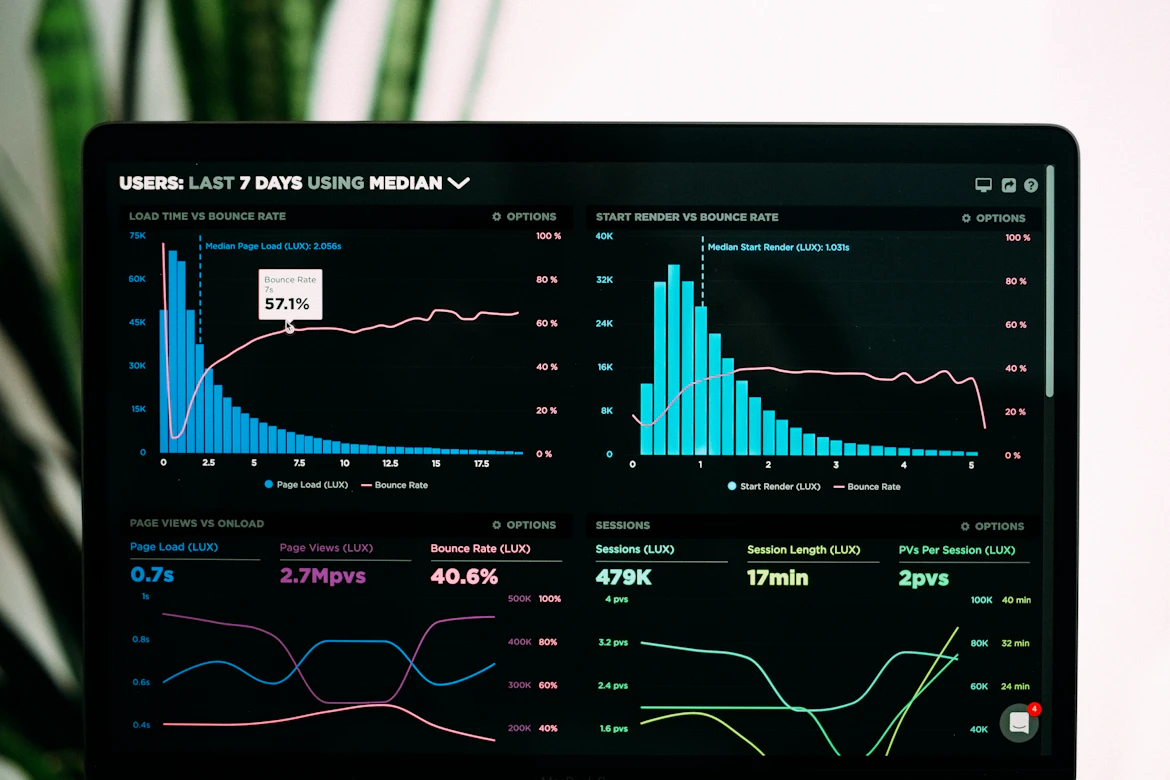
Think of Core Web Vitals as the report card for your website’s user experience. Google uses them to figure out if your site is a pleasure to use or a pain. There are three main ones:
- Largest Contentful Paint (LCP): This measures how long it takes for the main content on your page to load. Basically, when does the most important stuff show up for the user?
- First Input Delay (FID): This measures how long it takes for the page to become interactive. It’s all about how quickly a user can actually click a button or type something without waiting.
- Cumulative Layout Shift (CLS): This measures how much the content on your page unexpectedly moves around while it’s loading. Nobody likes clicking on something only for it to jump away at the last second, right?
Why Should You Care About These Vitals?
So, why bother with LCP, FID, and CLS? Well, Google cares, and if Google cares, you should too. A good user experience means happier visitors. Happier visitors tend to stick around longer, explore more pages, and are more likely to come back. Plus, Google uses these metrics as a ranking signal. A site that’s fast and stable is more likely to show up higher in search results.
It’s like this: imagine two shops. One is easy to get into, has clear aisles, and everything is where you expect it to be. The other is cramped, things keep falling off the shelves, and you can barely move. Which one are you going to visit again?
Key Takeaways
- Core Web Vitals are Google’s way of measuring user experience on your site.
- The three main vitals are LCP (loading speed), FID (interactivity), and CLS (visual stability).
- Improving these can lead to happier visitors and better search rankings.
Improving Your Largest Contentful Paint (LCP)
LCP is all about getting that main content up quickly. Here are some common culprits and fixes:
| Problem Area | Potential Fixes |
|---|---|
| Slow server response times | Upgrade your hosting, use a Content Delivery Network (CDN), optimize server config. |
| Render-blocking JavaScript/CSS | Defer or asynchronously load JavaScript, remove unused CSS, inline critical CSS. |
| Slow resource load times | Optimize images (compress, use modern formats), preload key resources. |
Basically, you want to make sure the biggest pieces of content load as fast as possible. Think of it like serving the main course first at a dinner party.

Tackling First Input Delay (FID)
FID is about responsiveness. If your site feels sluggish when a user tries to interact with it, that’s a bad FID. This is often caused by heavy JavaScript execution blocking the main thread.
Here’s how to make your site more responsive:
- Break up long tasks: Split up JavaScript tasks that take a long time into smaller, asynchronous chunks.
- Use web workers: Offload JavaScript processing to background threads so it doesn’t block the main user interface.
- Reduce JavaScript payload: Only load the JavaScript that’s actually needed for the current page or interaction.
Think of it like a busy waiter. If they’re juggling too many orders at once, they get slow. If they can handle one table at a time efficiently, service is much better.
Fixing Cumulative Layout Shift (CLS)
Nobody likes a janky website. CLS happens when elements on a page move around unexpectedly. This is often due to images or ads loading without defined dimensions, or dynamically injected content.
To keep things stable:
- Specify dimensions for images and video elements: Use
widthandheightattributes or CSS. - Reserve space for ads and embeds: Make sure there’s a placeholder for content that loads later.
- Avoid inserting content above existing content: Unless it’s in response to a user interaction.
It’s like building with LEGOs – you want to make sure each brick has its place and doesn’t suddenly shift when you add another.

Tools To Help You Out
Don’t worry, you don’t have to guess if your site is doing well. There are tools to help you measure and diagnose issues:
- Google PageSpeed Insights: Gives you a score for both mobile and desktop and provides specific recommendations.
- Google Search Console: Reports on your site’s Core Web Vitals performance based on real user data.
- Chrome DevTools: Offers detailed performance profiling right in your browser.
By regularly checking these metrics and making the necessary adjustments, you can create a website that’s not only fast and stable but also a joy for your visitors to use. And that, in the end, is what really matters.