Get a Website Cost Estimate in 3 Minutes Using this Free Estimator Tool:
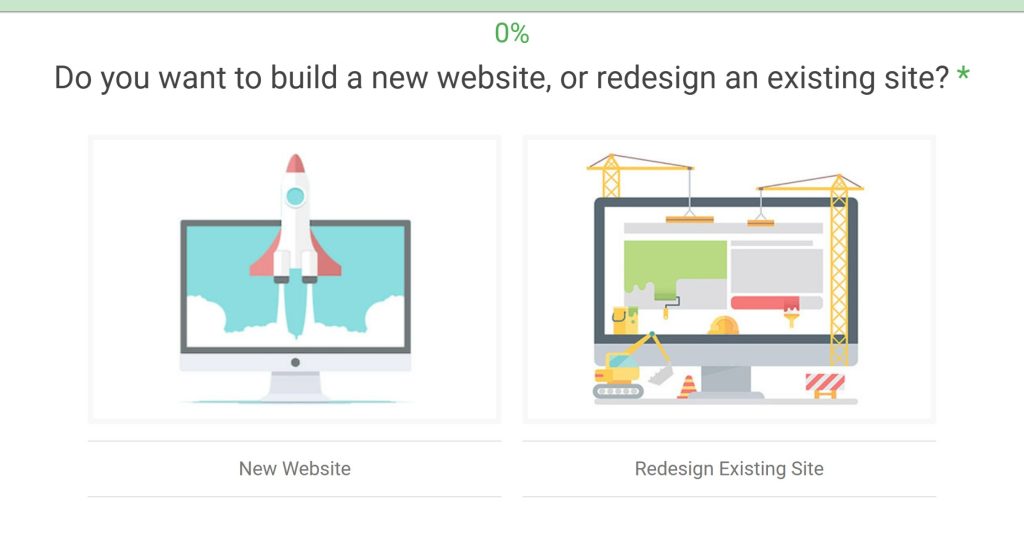
Planning a new website can feel like a guessing game, especially when it comes to costs. We know that feeling! That’s why we put together this guide and the One-Page Website Cost Calculator. Our goal is to give you a clear picture of what to expect, breaking down all the factors that go into building a great one-page site. Think of it as your roadmap to understanding the investment involved.
Key Takeaways
- A One-Page Website Cost Calculator is a helpful tool for getting a ballpark estimate before diving into detailed project planning.
- Factors like design complexity, specific features, and content needs significantly influence the final cost of a one-page website.
- Development expenses cover core functionality, any custom integrations, and crucial steps like browser testing and deployment.
- Choosing who builds your site—DIY, freelancer, or agency—greatly impacts the price and the overall quality and support you receive.
- Remember that the calculator provides an estimate; actual costs can vary, and ongoing expenses like hosting and maintenance should also be considered for long-term value.
Understanding Your One-Page Website Cost Calculator
When we’re thinking about building a new website, especially a one-page site, figuring out the cost can feel like a puzzle. That’s where a website cost calculator comes in handy. It’s not just a fancy tool; it’s designed to give us a realistic ballpark figure for our project. Think of it as our first step in planning, helping us avoid surprises down the road. We use these calculators to get a general idea of what we might be looking at, budget-wise, before we even talk to designers or developers.
How Website Cost Calculators Provide Ballpark Figures
These calculators work by taking the information we input about our project and running it through a system that’s been built on data from many past website builds. They try to account for the average time and resources needed for each part of a website. For example, if we want to add an online store with several payment options, it’s going to cost more than just having a simple contact form. The calculator uses these kinds of factors to estimate the total cost. It’s important to remember that these tools are meant to give us an estimate, not a final, locked-in price. They work with averages and standard assumptions, so our project might have unique needs that a calculator can’t fully capture. That’s why they’re best used as a starting point for conversations, not the absolute final word on our budget. They help us understand the general cost range for different features and complexities.
The Role of Calculators in Project Planning
Using a website cost calculator is a really smart way to start planning any web project. It helps us get a handle on potential expenses early on. If we just start asking for quotes without any idea of our budget, we might get quotes that are way out of our reach, or we might underestimate what we actually need. By using a calculator, we can input our requirements – like the type of website, the features we want, and how complex the design should be – and get an immediate estimate. This helps us set a realistic budget from the beginning. It’s like making a grocery list before going to the store; if we just wander around, we might forget something important or buy things we don’t need. But if we plan, we’re more likely to get everything we need within our budget. The more specific we are with our inputs, the more useful the output will be. It gives us a clearer picture of what we can afford and what we need to prioritize. This initial estimate is a solid foundation for our project planning, allowing us to make informed decisions about features and design elements. For a more detailed breakdown of how different elements affect costs, you can check out this resource for small businesses.
Leveraging Calculators for Budgetary Clarity
When we’re trying to get a handle on how much a new website might cost, using a calculator is a smart first step. But to get anything close to a useful number, we need to feed that calculator the right information. The more specific we are with our inputs, the more accurate the output will be. It’s all about giving the calculator a clear picture of what we actually want. We need to be pretty detailed about what we’re asking for. This isn’t the time to be vague. We should think about the core purpose of the website and what it absolutely needs to do. For instance, is this a simple brochure site for a local business, or is it a complex online store with thousands of products and custom user accounts? The difference in complexity directly impacts the cost. We also need to consider the number of pages required. A site with 5 pages is obviously going to cost less than one with 50 pages. Even the style of design matters – a highly custom, artistic look will take more time and skill than a standard, template-based design. Being precise with these details is the bedrock of a reliable estimate. We can also use these tools to compare different scenarios. For example, we might input the requirements for a basic one-page site and then see how the cost changes if we add a blog or a booking system. This helps us understand the financial impact of each feature and make smart choices about what’s truly necessary for our project. It’s a great way to gain budgetary clarity and make sure we’re investing our money wisely. We’ve learned that relying on just one calculator isn’t the best approach. Different calculators use different methodologies and might weigh certain factors more heavily than others. So, what we usually do is run our project requirements through several different calculators. This gives us a range of potential costs and helps us identify any significant discrepancies. If one calculator says $10,000 and another says $30,000 for what seems like the same project, it’s a good signal to dig deeper into why there’s such a big difference. Maybe one is assuming custom development for features that the other considers standard, or perhaps one includes more extensive SEO services than the other. This comparison process helps us get a more well-rounded understanding of the potential investment. For instance, we might see a table like this when comparing results:
| Feature Category | Calculator A (Focus: Custom Design) | Calculator B (Focus: E-commerce) | Calculator C (Focus: Speed/Templates) |
|---|---|---|---|
| Base Website (5 pages) | $5,000 | $4,000 | $2,500 |
| E-commerce (10 products) | +$7,000 | +$5,000 | +$3,000 |
| Custom Blog Design | +$3,000 | +$2,000 | +$1,000 |
| Advanced SEO Strategy | +$2,500 | +$1,500 | +$500 |
| Total Estimated Range | $17,500 | $12,500 | $7,000 |
This kind of comparison helps us understand how different priorities can shift the overall cost. It’s a practical way to manage our expectations and plan our finances effectively. For insights into how search engine optimization can impact your website’s cost and performance, you might find this blog on search trends helpful.
Key Factors Influencing One-Page Website Expenses
When we start thinking about building a new website, it’s easy to get caught up in just the visual aspect – how it looks and feels. But the actual cost of bringing that vision to life is shaped by a whole bunch of things that go way beyond just pretty pictures. We need to be realistic about what goes into a website project because, honestly, it’s not a one-size-fits-all deal. Several key factors really push the budget up or down, and understanding these helps us plan better and avoid nasty surprises down the road.
Website Type and Its Cost Implications
The kind of website we need is a big one. A simple brochure site with a few pages listing services and contact info is a world away from a complex online platform with user accounts, custom calculators, or integration with other business systems. Think about it: more features, more custom logic, and more pages generally mean more design and development hours. We’ve seen projects where clients initially wanted a basic site, but then realized they needed a whole backend system to manage customer data. That’s a huge jump in complexity and, naturally, in cost. The scope, or the overall extent of the work, directly impacts the hours needed from our team. If we have a clear, detailed list of everything the website must do from the start, it’s much easier to estimate accurately. But if the requirements are vague, or if we expect to make big changes mid-project, that uncertainty drives up costs because developers have to build in more buffer time for potential rework or unexpected challenges. It’s really important to get as much detail as possible upfront. Trying to add major features after the design is approved is like trying to change the blueprint of a house after the walls are up – it’s expensive and complicated.
Design Complexity and Customization Needs
Beyond just functionality, how we want the website to look and feel plays a big role. A standard template-based design will be much cheaper than a fully custom-designed user interface (UI) and user experience (UX). Agencies often have pre-built templates or frameworks they can adapt, which speeds up the process and lowers costs. However, if we’re aiming for a truly unique brand identity, something that stands out completely from the crowd, we’re looking at custom design work. This involves creating unique layouts, custom graphics, and a specific user flow tailored to our brand. The more unique elements we want, the more time designers and developers will spend on them, which naturally increases the overall project cost. We need to consider how many different types of pages our site will have. A site with 10 unique layouts will cost more than one with only 3, as each layout requires individual design and development attention.
Essential Features and Functionality
Each feature you add to the website design cost calculator increases the cost but also boosts functionality. Think about things like contact forms, which let users message you directly from the site, or a blog, which helps with SEO, content marketing, and building brand trust. If we’re a service provider needing appointments, a booking system is ideal. For selling online, a payment gateway is a must. User login areas or portals for personalized experiences, multilingual support for wider audiences, or API integrations to connect with other tools like CRMs or databases all add layers of complexity. Even advanced animations, which add movement and polish, require extra development time. These aren’t just cosmetic extras; each one adds backend work, testing, and integrations. Our website design cost calculator shows how features change your bottom line. For example, integrating a booking system or a payment gateway requires more complex coding and testing than a simple contact form.
Here’s a look at how different features can impact the overall estimate:
| Feature Category | Description |
|---|---|
| Base Website (5 pages) | Includes Home, About, Services, Contact, and a basic Blog page. |
| E-commerce (10 products) | Adds product listings, cart functionality, and a checkout process. |
| Custom Blog Design | Unique styling and layout for blog posts and archives. |
| Advanced SEO Strategy | In-depth keyword research, on-page optimization, and technical SEO setup. |
The complexity of the features we choose directly correlates with the time and skill required from the design and development team. It’s about balancing desired functionality with the budget we have available. We need to be clear about what’s a ‘must-have’ versus a ‘nice-to-have’ to keep the project focused and cost-effective.
Estimating Design Costs for Your One-Page Site
When we think about building a one-page website, the design is often the first thing that comes to mind. It’s what people see and interact with, so it makes sense that it plays a big role in the overall cost. We need to figure out how much we’re willing to spend on making our site look good and feel right for our visitors. This isn’t just about pretty pictures; it’s about creating an experience that matches our brand and helps us achieve our goals.
Get a Website Cost Estimate in 3 Minutes Using this Free Estimator Tool:
The Impact of Design Style on Budget
We’ve found that the style of design we choose can really change the price tag. A simple, clean look might be less expensive than something really complex with lots of custom graphics and animations. Think about it: if we want a minimalist design with lots of white space and straightforward typography, that’s generally quicker to put together. On the other hand, if we’re aiming for a bold, artistic statement with unique illustrations, custom icons, and maybe even some parallax scrolling effects, that’s going to take more time and skill from the designer. We need to be clear about what aesthetic we’re going for because it directly affects how many hours a designer will spend on our project. The more custom and intricate the design, the higher the cost will likely be.
We often see design costs broken down in different ways. Some designers charge by the hour, while others might give a fixed price for the whole project. If we go with an hourly rate, we need to have a good idea of how long the designer thinks it will take. If it’s a fixed price, we need to make sure we understand exactly what’s included. For a one-page site, the design might include things like the overall layout, color scheme, typography, and the arrangement of content blocks. If we’re using a template, the cost will be lower than if we’re asking for a completely custom design from scratch. It’s really about balancing our vision with our budget.
Content Blocks and Styling Considerations
For a one-page website, the content is usually broken down into distinct sections or blocks. Each of these blocks needs to be designed. We need to think about how many of these blocks we’ll have and what kind of styling each one requires. For example, a homepage might have a hero section, an about us section, a services section, a testimonials section, and a contact section. Each of these could be considered a content block. The design for each block involves deciding on the layout, the placement of text and images, and any specific visual treatments. If we have a lot of content blocks, or if each block needs a very different and complex design, this will add to the overall design cost. We also need to consider how these blocks will flow together visually. The way we style these content blocks is key to creating a cohesive and engaging user experience.
Here’s a general idea of how different styling needs might affect costs:
- Simple Styling: Clean layouts, standard fonts, basic color palettes. This is usually the most budget-friendly option.
- Moderate Styling: Incorporates custom graphics, more varied typography, subtle animations, and distinct styling for each content block.
- Complex Styling: Features unique illustrations, custom icon sets, advanced animations (like parallax scrolling), and highly tailored layouts for each section. This will naturally cost more.
We also need to think about the content itself. If we’re providing all the text and images, that’s one thing. But if the designer is also helping to arrange the content or suggesting where images should go, that’s part of the design process and can influence the time spent. We should have a clear idea of our content before we start talking to designers, or at least have a plan for how it will be organized on the page. This helps avoid costly revisions down the line.
Incorporating Visual Elements and Branding
Visual elements and branding are a huge part of website design, especially for a one-page site where every element carries more weight. This includes things like our logo, color scheme, typography, imagery, and any custom graphics or icons we want to use. If we already have a strong brand identity with clear guidelines, it makes the designer’s job easier and can potentially lower costs. However, if we need the designer to help develop our brand’s visual style, that’s an additional service that will add to the expense. We need to make sure the visual elements we choose align with our brand and appeal to our target audience.
Here’s a breakdown of how different visual elements can impact the design budget:
- Logo Design: If we don’t have a logo, or if we need a new one, this is a separate design cost. A simple logo might cost less than a complex, illustrative one.
- Color Palette: Developing a consistent and appealing color scheme is part of the design process. This usually isn’t a huge cost driver on its own, but it’s important for branding.
- Typography: Choosing the right fonts can significantly impact the look and feel. Using standard web fonts is generally free, but custom or premium fonts might have licensing fees.
- Imagery: This includes photos, illustrations, and icons. We might use stock photos, custom photography, or custom illustrations. Stock photos are cheaper, while custom photography or illustrations will cost more.
- Custom Graphics/Icons: If we need unique icons or graphics that aren’t readily available, a designer will need to create them, which adds to the design time.
We should also consider how these elements will be integrated. For instance, how will the logo be placed? How will the colors be used consistently across different sections? How will images be cropped or styled? These details matter for the overall aesthetic. If we’re asking the designer to source images or create custom graphics, we need to factor that into the budget. It’s always a good idea to have a clear brief for the designer that outlines our branding preferences and any specific visual assets we want to include. This helps ensure we get a design that truly represents our brand. For example, if we are a local service business, we might want to see our service or product pages designed with clear calls to action and professional imagery that reflects our community focus. This level of detail helps the designer understand our needs better and provide a more accurate estimate.
Development Expenses for a One-Page Website
When we talk about building your one-page website, the development phase is where all the design elements and planned features actually come to life. This is the technical backbone of your site, and it’s where a good chunk of the budget often goes. Think of it as the construction crew building the house based on the architect’s blueprints. The complexity of these blueprints, and the skill of the crew, directly impacts the final cost.
Core Development for Foundational Elements
At its heart, a one-page website needs certain core components to function. This includes setting up the basic structure, making sure it’s responsive (meaning it looks good on phones, tablets, and desktops), and getting the main content sections in place. We’re talking about the header, navigation (even if it just scrolls to different sections), the main content blocks, and the footer. The time spent here is about translating the approved design into functional code. This usually involves HTML, CSS, and JavaScript. The more custom the design, the more custom coding is needed, which naturally increases the hours. For instance, a simple layout with standard fonts and colors will take less time than a design with unique animations or intricate visual effects. We often see this foundational work taking anywhere from 40 to 80 hours, depending on the complexity.
Integrating Specific Functionalities
This is where things can really start to add up. Beyond the basic structure, what do you want your one-page site to do? Do you need a contact form that actually sends emails reliably? Perhaps a gallery to showcase your work? Maybe you want to integrate social media feeds so your latest posts show up automatically? Each of these features requires specific development effort. For example:
- Contact Forms: Building a secure and functional contact form, including form validation and submission handling, can take 5-10 hours. This includes making sure it sends notifications to the right email and handles potential spam.
- Image Galleries/Carousels: Displaying images in an attractive, interactive way, like a carousel or a filterable gallery, might add another 8-15 hours.
- Social Media Feeds: Integrating a live feed from platforms like Instagram or Twitter requires using APIs and can take 10-20 hours, depending on the platform and how much data we pull.
- Interactive Elements: Things like parallax scrolling, animated counters, or custom hover effects add to the development time, often 3-7 hours per unique effect.
We also need to consider things like SEO setup. This isn’t just about content; it involves technical aspects like setting up meta tags, schema markup, and ensuring the site is crawlable by search engines. This can add another 10-20 hours to the development process.
The more custom functionality we add, the more we move away from a simple template and into custom development. This means more coding, more testing, and ultimately, a higher development cost. It’s always a trade-off between features and budget.
Browser Testing and Deployment Costs
Once the development is complete, we’re not quite done. A critical step is browser testing. We need to make sure your one-page website looks and functions correctly across different web browsers (like Chrome, Firefox, Safari, Edge) and on various devices (desktops, tablets, smartphones). This isn’t a quick check; it involves detailed testing on multiple operating systems and browser versions. This phase can easily add 10-25 hours to the project. Poor testing can lead to a site that looks broken for a significant portion of your audience, which is why we don’t skip it. After testing and any necessary fixes, the site needs to be deployed to your live web server. This involves uploading files, configuring the domain name, and setting up any necessary server-side components. While often straightforward, this deployment process can take 2-5 hours, plus time for final checks to ensure everything is working as expected on the live environment. Getting a clear picture of these costs is vital for accurate project planning, much like understanding the factors involved in a website redesign.
Here’s a rough breakdown of potential development hours for a moderately complex one-page site:
| Task | Estimated Hours | Notes |
|---|---|---|
| Core Structure & Responsiveness | 40-80 | HTML, CSS, basic JavaScript |
| Header & Footer Development | 10-15 | Includes navigation implementation |
| Content Block Styling & Layout | 20-40 | Translating design to code for each section |
| Contact Form Integration | 5-10 | Validation, submission, spam protection |
| Image Gallery/Carousel | 8-15 | Interactive display of visuals |
| Social Media Feed Integration | 10-20 | API connection, data display |
| Custom Animations/Interactive Effects | 5-15 | Per effect, depending on complexity |
| Basic SEO Technical Setup | 10-20 | Meta tags, schema, site structure |
| Browser & Device Testing | 10-25 | Across multiple browsers and devices |
| Deployment to Live Server | 2-5 | File upload, domain configuration, final checks |
| Total Estimated Development Hours | 120-245+ | This is a general range; actual hours depend heavily on specific needs |
Remember, these are estimates. The more unique features and custom interactions we build, the higher the development hours will be. It’s always best to discuss your specific requirements with your developer to get a more precise quote.
Strategic Planning and Initial Project Costs
Before we even think about colors or fonts, we need to lay a solid groundwork for your one-page website. This initial phase, often called strategic planning, is where we figure out exactly what the site needs to do and how it will work. It might seem like extra time upfront, but trust us, it saves a ton of headaches and money down the line. Think of it as building a strong foundation before you start putting up walls.
Kick-off Meetings and Project Scoping
This is where it all begins. We get everyone involved in a kick-off meeting to make sure we’re all on the same page. We talk about your business goals, who you’re trying to reach, and what success looks like for this website. We’ll ask a lot of questions to really understand your vision. From there, we start scoping out the project. This means defining what’s in and what’s out, setting clear objectives, and outlining the main deliverables. It’s about getting a clear picture of the entire project before we commit to anything specific. This helps us avoid scope creep later on, which can really blow up a budget.
- Define Project Goals: What do you want the website to achieve?
- Identify Target Audience: Who are you trying to connect with?
- Outline Key Deliverables: What absolutely needs to be on the page?
- Establish Success Metrics: How will we know if the site is working?
Skipping this step is like trying to bake a cake without a recipe. You might end up with something edible, but it’s unlikely to be what you intended, and you’ll probably waste a lot of ingredients (time and money) in the process.
Information Architecture and User Flow
Once we know the goals, we figure out how the information on your one-page site will be organized. For a single page, this might seem simple, but it’s still important. We think about the order of sections, how they connect, and how a visitor will move through the content. This is often visualized as a sitemap, even for a one-page site, showing the hierarchy of information. We also map out user flows – the paths a visitor might take to complete a specific action, like filling out a contact form or learning about a service. Getting this right means visitors can find what they need easily, which is key for any website, especially one that needs to guide users effectively. A well-thought-out structure can make a big difference in how users perceive your brand and how likely they are to convert. We aim for clarity and ease of use in every step.
Competitor Analysis and Strategy Development
We also take a look at what your competitors are doing. What works well for them? What could be improved? This isn’t about copying, but about understanding the landscape and finding opportunities to make your one-page website stand out. We analyze their messaging, their calls to action, and how they present their services. This research feeds directly into our strategy development. We use these insights to shape the content, the design approach, and the overall messaging of your site. The goal is to create a website that not only looks good but also performs well and achieves your specific business objectives. This strategic thinking upfront helps us build a more effective and targeted online presence. For example, if competitors are using video testimonials effectively, we might consider how to incorporate a similar element into your one-page website design.
Here’s a look at how planning costs can break down, depending on the project’s complexity:
| Planning Activity | Typical Hours (Small Site) | Typical Hours (Medium Site) | Typical Hours (Complex Site) |
|---|---|---|---|
| Kick-off & Strategy Meetings | 8-12 | 12-20 | 20-30 |
| Information Architecture (IA) | 10-15 | 15-25 | 25-40 |
| Wireframing (Key Sections) | 15-25 | 25-40 | 40-60 |
| Competitor & Voice Analysis | 10-15 | 15-25 | 25-40 |
| Project Management & Comms | 10-15 | 15-25 | 25-40 |
| Subtotal | 53-82 | 82-135 | 135-210 |
| Contingency (15%) | 8-12 | 12-20 | 20-31 |
| Total Estimated Planning Hours | 61-94 | 94-155 | 155-241 |
Keep in mind that these are estimates. The actual hours can vary based on the specific needs of your project and how quickly decisions are made. A clear, well-defined scope from the start is the best way to keep these hours, and therefore costs, predictable. We always aim for transparency, showing you exactly where the time is being spent and why. This upfront investment in planning is truly the most cost-effective way to ensure your one-page website project is a success.
Content and SEO Considerations for Your Site
When we build a website, it’s easy to get focused on how it looks and the cool features it has. But if nobody can find it, what’s the point, right? That’s where Search Engine Optimization, or SEO, comes in. It’s not just an extra thing we tack on; it’s a core part of making your website actually work for you, and it definitely affects the total cost.
Think of SEO as making your website more appealing to search engines like Google. When people search for things related to what you do, you want your site to show up near the top of the results. The higher you rank, the more likely people are to click your link and visit your site. This is why putting money into SEO strategy and advice can add to your project budget. It involves things like keyword research – figuring out what terms your potential customers are actually typing into search engines – and then planning your website content around those terms. It’s about making sure your website speaks the language of your audience and the search engines at the same time.
SEO Keyword Analysis for Visibility
Before we even start designing pages, we need to figure out what people are actually searching for. This means doing some solid keyword research. We look at how many people search for a term (search volume), how tough it is to rank for that term (competition), and how well the term matches what you offer (relevance). A good SEO plan isn’t just about stuffing keywords everywhere; it’s about understanding what people mean when they search and creating content that genuinely answers their questions or solves their problems. This initial research phase can cost anywhere from $1,320 upwards, depending on how detailed we need to get. It’s a really important step that guides everything from your website’s structure to the words on each page. Without it, it’s like opening a great shop in a quiet street – nobody will find you.
Crafting Compelling SEO Copywriting
Once we know which keywords to aim for, we need to weave them naturally into your website’s content and structure. This is called on-page optimization. It means writing good page titles, meta descriptions, headings, and the main text that are both good for search engines and interesting for people to read. We also pay attention to things like image descriptions (alt text) and internal links – making sure your website’s pages connect to each other in a sensible way. The cost here can change a lot depending on how many pages you have and how complex the content is. If you need custom writing for each page, specifically made to be good for SEO, this can add a significant amount to the budget. For example, SEO copywriting might add around $660 per page, on top of the design and development costs. It’s about making every part of your site work harder to attract and keep visitors.
We can’t promise you’ll be number one on Google. Search engine algorithms are complicated and change all the time, with hundreds of factors involved. While we can use best practices and strategies to greatly improve your chances of ranking well, guaranteeing a specific spot isn’t realistic.
Content Creation and Management
Beyond the main pages, most websites need some standard content pages. These might include things like a privacy policy, terms of service, a careers page, or even a simple FAQ section. While these might not seem as important as the homepage, they still need to be designed and built to fit with the overall website structure and brand look. We create consistent, reusable layouts for these types of pages. This means we design a template that can be used for multiple pages, making sure the whole site looks the same and feels professional. This method not only saves building time but also makes the website feel more put-together and professional to the people using it. We think about how these pages will get their content and make sure the layouts can handle different amounts of text and pictures.
Here’s a look at some common standard page types and what we consider when designing them:
| Page Type | Key Design Considerations |
|---|---|
| Privacy Policy | Clear, easy-to-read text; simple navigation for specific parts. |
| Terms of Service | Organized sections; plain language; accessible format. |
| Careers Page | Show off company culture; easy way to list job openings. |
| FAQ Page | Organized by topic; clear question/answer format; search option. |
| Blog Index/Archive | Grid or list view; clear titles and summaries; filtering options. |
| Individual Blog Post | Readable text style; clear headings; social sharing buttons. |
While not always seen as ‘complex functionality,’ a well-built blog or portfolio section can really boost a website’s value and how much people interact with it. A blog isn’t just a place to post articles; it’s a strong tool for content marketing, SEO, and building a connection with people who like your brand. Building a blog usually means setting up a content management system (CMS) that makes it easy to create, edit, and publish articles. You’ll want features like categories, tags, comment sections, social sharing buttons, and maybe even a spot for author information. For SEO, making sure each blog post has good meta descriptions and the right heading structure is key. A portfolio, on the other hand, is about showing off your work. This could be for designers, artists, photographers, or even businesses showing their projects. A good portfolio needs a layout that looks good, easy ways to move between projects, and often, the ability to show different types of media like images, videos, and case studies. You might want ways to filter projects by type, industry, or skills used. The building part here focuses on creating a clean, attractive display that lets your work stand out. While these might seem simpler than online stores, the time spent creating user-friendly ways to manage and show content adds to the project scope. We often find that clients want custom layouts for their blog posts or portfolio items, which needs more design and building work than using a standard template.
Additional Features That Affect Your Estimate
So, we’ve talked about the basics of getting a one-page website up and running. But what about those extra bits that make a site truly interactive and useful? These are the features that can really make your project shine, but they also add to the overall cost. Think of it like building a house: the basic structure is one thing, but adding a smart home system or a fancy security setup? That’s where the expenses start to climb.
When we look at additional functionality, we’re really talking about anything that makes your website do more than just show information. This could be anything from letting people buy things online to letting them book appointments, interact with dynamic content, or connect with your brand on social media. Each of these features needs specific development work, and that means more hours, and therefore, more money.
Contact Forms and User Interaction Tools
Contact forms are pretty standard, but even these can vary in complexity. A simple form that just collects a name, email, and message is usually straightforward. However, if you need a form with conditional logic (where certain fields only appear based on previous answers), file uploads, or integration with a CRM system, that’s going to cost more. We also see more advanced user interaction tools like calculators, quizzes, or interactive maps. These require custom coding and can significantly increase the development time and cost. For instance, a basic contact form might add a few hundred dollars to the project, while a complex, multi-step form with conditional logic could add upwards of $1,000 or more, depending on the specifics. We often find that clients want forms that not only collect data but also send automated responses or trigger specific actions within their business processes. This level of integration is where the costs really start to add up.
Blog Integration for Content Marketing
While a one-page website might not seem like the natural home for a blog, many businesses still want this capability for content marketing. Integrating a blog section can range from a simple, static display of recent posts to a fully functional content management system (CMS) where you can easily add, edit, and categorize articles. If you’re looking for a blog that allows comments, social sharing, author bios, and advanced search functionality, this will require more development effort. A basic blog feed might add a few hundred dollars, but a fully integrated CMS with custom styling and features could easily add $1,500 to $5,000 or more to your project cost. We’ve seen projects where the blog is almost as complex as the main website itself, especially when it involves custom post types or complex filtering.
Booking Systems and Payment Gateways
If your one-page website needs to handle bookings or process payments, this is where costs can really escalate. Implementing a booking system, whether for appointments, reservations, or events, requires careful planning and development to ensure it’s user-friendly and reliable. This often involves integrating with calendar systems, managing availability, and sending confirmation notifications. Similarly, integrating payment gateways like Stripe, PayPal, or Square for e-commerce transactions or service payments adds another layer of complexity. You’ll need secure handling of sensitive data, transaction processing, and potentially recurring payment options. A simple payment button might be relatively inexpensive, but a full booking system with multiple options and payment gateway integration could add anywhere from $2,000 to $10,000 or even more, depending on the features and the platform used. It’s important to consider the ongoing transaction fees associated with these services as well. We always recommend looking at the total cost of ownership, not just the initial build. For example, setting up a system to manage recurring subscriptions for a service can be quite involved. We’ve found that understanding the specifics of website costs is key here.
Here’s a general idea of how these features can impact your budget:
| Feature Category | Basic Implementation | Advanced Implementation |
|---|---|---|
| Contact Forms | $200 – $500 | $500 – $1,500+ |
| Blog Integration (Basic Feed) | $300 – $800 | $1,500 – $5,000+ |
| Booking System (Simple) | $1,000 – $2,500 | $2,500 – $7,000+ |
| Payment Gateway Integration | $500 – $1,500 | $1,500 – $5,000+ |
| E-commerce (10 Products) | $2,000 – $5,000 | $5,000 – $15,000+ |
It’s important to remember that these are just estimates. The actual cost will depend heavily on the specific requirements, the complexity of the integration, and the developer’s rates. Always get a detailed quote for any custom features you need.
Choosing the Right Builder for Your Project
So, we’ve talked a lot about what goes into a one-page website and how to estimate those costs. Now, let’s get real about who’s going to actually build it. This is a big decision, and honestly, it can make or break your project. We’ve found that picking the right team or platform is just as important as the design itself. It’s not just about finding someone who can code; it’s about finding a partner who gets your vision, communicates well, and helps you hit your business goals. The team you choose can really make or break a project, so let’s break down how we can make a good choice.
DIY Website Builders vs. Professional Services
When we’re thinking about building our one-page website, one of the first big questions is whether we’re going to do it ourselves using a website builder, or if we’re going to hire professionals. Both have their upsides and downsides, and what’s right for us really depends on our budget, our technical skills, and how much time we have.
Website builders are pretty popular these days. Platforms like Wix, Squarespace, or even WordPress with a good page builder plugin like SeedProd, are designed to be user-friendly. They often come with drag-and-drop interfaces, pre-made templates, and built-in hosting. This means you can get a site up and running pretty quickly without needing to know how to code. For a simple, straightforward one-page site, a DIY builder can be a really cost-effective solution. You pay a monthly or annual fee, and you get access to all the tools you need. It’s great if you’re on a tight budget and have some time to learn the platform. We’ve found that for basic needs, these tools can be surprisingly powerful. You can get a solid foundation with SeedProd’s free WordPress builder if you’re already using WordPress.
On the other hand, professional services – whether that’s a freelancer, a small agency, or a larger development firm – come with a different set of benefits. They bring specialized skills, experience, and a structured process to your project. If your one-page website needs custom functionality, complex integrations, or a really unique design that goes beyond what templates offer, then professional help is usually the way to go. They can handle everything from the initial strategy and design to the development, testing, and launch. While this route is typically more expensive upfront, it can save us a lot of headaches and potentially lead to a higher quality, more effective website in the long run. We’ve seen projects where the upfront investment in professionals paid off because the site was built correctly from the start, avoiding costly fixes later.
Here’s a quick look at how they stack up:
| Feature | DIY Website Builders | Professional Services |
|---|---|---|
| Initial Cost | Lower | Higher |
| Time to Launch | Faster | Can be longer |
| Customization | Limited by platform | High |
| Technical Skill | Low required | High required |
| Support | Often self-serve | Dedicated |
| Scalability | Varies by platform | Generally higher |
When we’re deciding between a DIY builder and professional services, we always ask ourselves: what’s our absolute must-have for this site, and what’s our realistic budget and timeline? Sometimes, a builder is perfect. Other times, we really need that expert touch to make our vision a reality.
The Role of Freelancers in Development
Freelancers can be a really attractive option for building our one-page website. They often offer a good balance between cost and personalized service. Think of them as independent specialists. You might hire a freelance designer for the look and feel, and then a separate freelance developer to bring it to life. This can be really efficient if you know exactly what you want and can manage the different parts of the project yourself.
We’ve found that working with freelancers can mean more direct communication. You’re often talking directly to the person doing the work, which can cut down on miscommunication. Plus, their rates are typically lower than those of a full-service agency because they don’t have the same overhead. For a one-page site that doesn’t require a massive team or complex project management, a skilled freelancer can be an excellent choice. We’ve seen great results when we’ve found the right fit.
However, there are things to watch out for. If you’re working with multiple freelancers, you become the project manager. You need to coordinate between them, ensure deadlines are met, and handle any issues that arise. Also, a single freelancer might not have the breadth of skills that a small agency does. They might be a coding wizard but not so great at user experience design, or vice versa. It’s important to vet them carefully. Look at their portfolio, read testimonials, and have a clear conversation about their experience with projects similar to yours.
When we compare quotes, we don’t just look at the total price. We look at what’s included. Does the freelancer’s quote include revisions? Does it cover post-launch support? We’ve learned that the cheapest option upfront can sometimes end up costing more in the long run if it means dealing with poor quality, missed deadlines, or a lack of ongoing support. It’s about finding the best value for our specific needs.
Here are some things we always check for in a bid from a freelancer:
- Portfolio Review: Does their past work align with our aesthetic and functional needs?
- Communication Style: Are they responsive and clear in their communication?
- Scope of Work: Is the project scope clearly defined, including deliverables and timelines?
- Pricing Transparency: Is the pricing breakdown clear, and are there provisions for changes?
- References: Can they provide references from previous clients?
Agency Services and Their Pricing Structures
When we talk about agency services, we’re usually looking at a more structured and comprehensive approach to building our one-page website. Agencies, whether they’re small or large, typically have dedicated teams for different aspects of a project: design, development, project management, quality assurance, and sometimes even marketing or SEO. This means they can handle a project from start to finish with a high degree of professionalism and expertise.
Agencies often work on a project-based fee or a retainer model. A project-based fee means you agree on a total cost for the entire project upfront. This can be good for budget predictability, but it’s important to have a very well-defined scope of work from the beginning. If you need to make significant changes after the project starts, it will likely involve a change order, which can add to the cost. A retainer model is more like a monthly fee for ongoing services or a set amount of work. This can be useful if you anticipate needing regular updates or support after the site launches.
We’ve found that the most successful projects happen when there’s a clear, open dialogue about costs from the very beginning. If a potential partner is hesitant to provide details or seems evasive about pricing, it’s usually a sign that we might face challenges with transparency later on. It’s better to walk away and find someone who is willing to be open about their costs and processes.
Transparency in Project Bids
This is where we can really avoid headaches down the line. A transparent bid means that the development partner clearly outlines all the costs involved in the project. We want to see a breakdown of where the money is going – how much for design, how much for development, how much for project management, testing, and any other services. Vague bids that just give a single total number are a red flag for us. It makes it hard to understand what we’re paying for and where potential cost overruns might occur.
We look for partners who are upfront about their pricing models. Are they charging hourly? If so, what’s the rate, and do they provide estimates for how many hours a task might take? Are they offering a fixed project price? If it’s fixed, what happens if we need to make changes? Understanding the change order process and how it impacts the budget is really important. We’ve been in situations where a small request for a change led to a surprisingly large bill because the initial bid didn’t account for flexibility.
Here’s a comparison of how different types of service providers typically structure their costs:
| Service Type | Typical Cost Structure | Pros | Cons |
|---|---|---|---|
| Freelancer | Hourly or Project-based | Lower cost, direct communication | May lack specialized skills, project management burden, less support |
| Small Agency | Project-based or Retainer | Balanced cost, good communication | May have limited capacity for very large projects |
| Large Agency | Project-based or Retainer | Full-service, specialized teams, robust processes | Higher cost, potentially slower communication, more layers |
When we compare quotes, we don’t just look at the total price. We look at what’s included. Does the freelancer’s quote include revisions? Does the agency’s quote cover post-launch support? We’ve learned that the cheapest option upfront can sometimes end up costing more in the long run if it means dealing with poor quality, missed deadlines, or a lack of ongoing support. It’s about finding the best value for our specific needs. Choosing the right development partner is a significant decision that impacts not just the budget, but the overall success and longevity of our website. By carefully considering the team’s size and expertise, comparing pricing models, and demanding transparency in bids, we can set ourselves up for a smoother, more predictable, and ultimately more successful website development journey. It’s about building a relationship with a team that we can trust to bring our vision to life effectively.
Ongoing Costs and Long-Term Website Value
So, we’ve talked a lot about getting your one-page website built, but what happens after it goes live? It’s not like you can just forget about it. We need to think about keeping it running smoothly, secure, and up-to-date. This is where maintenance and updates come in, and honestly, it’s a part of the budget that often gets overlooked. We’ve seen it happen – a great-looking site that quickly becomes a security risk or just stops working right because it wasn’t maintained. Budgeting for these ongoing expenses is just as important as the initial build.
Website Hosting and Performance
First off, you need a place for your website to live on the internet. That’s hosting. The cost of hosting can vary quite a bit. It depends on how much traffic your site gets and how much storage space you need. For a simple one-page site, you might not need the most expensive plan, but it’s good to have room to grow. We also need to think about performance. How fast does your website load? Are there any errors happening behind the scenes? Performance monitoring is all about keeping an eye on these things. We use tools to track site speed, uptime, and identify any issues that might be slowing things down or causing errors. A slow website can really drive visitors away, and downtime means lost opportunities. We’ve learned that proactive monitoring helps us catch problems before they become big headaches. It’s about making sure your site is always in good shape for your visitors. This often involves:
- Uptime Monitoring: Checking if your site is accessible.
- Speed Testing: Regularly assessing load times.
- Error Logging: Identifying and fixing any technical errors.
- Security Scans: Looking for malware or suspicious activity.
We always advise clients to budget for these regular updates as part of their ongoing operational costs. It’s a small price to pay for peace of mind and a functional website. Getting your domain name is also a yearly cost, usually around $15-$20 per year for your chosen URL. It’s a good idea to own your domain name outright, rather than having an agency purchase it for you, to maintain full control. You can find more information on building a small business website and its associated costs at building a small business website.
Essential Maintenance and Security
Beyond just hosting, keeping your website secure and functional requires regular attention. This means software updates, security patches, and backups. Think of it like maintaining your car; you wouldn’t just drive it until it breaks down, right? The same applies to your website. Neglecting software updates is one of the quickest ways to compromise your website’s security and performance. We’ve found that standard maintenance packages can range from $80 to $250 per month. These packages typically cover:
- Monthly or weekly software updates (like for your content management system or plugins).
- Daily backups of your website data.
- Licenses for any premium plugins that add functionality.
- Monthly performance and security reports.
- SSL certificate renewal and configuration.
Some premium plugins might also have annual license fees that need to be renewed, adding to the yearly cost. It’s important to factor these in. We always recommend having a plan for who will handle these updates and how often. Sometimes, agencies include a website maintenance and hosting package after the initial build. While the names might differ, the core purpose is the same: keeping your site secure and up-to-date. This proactive approach helps prevent costly issues down the line and keeps your site running smoothly for your visitors.
We’ve found that the best way to use a calculator is to get a preliminary understanding of the investment required. Once we have that range, we can then approach potential development partners with a clearer idea of our budget and expectations. This makes the subsequent conversations much more productive. It shows we’ve done our homework and are serious about the project. It also helps the development team understand if our expectations align with their capabilities and pricing structure right from the start. It saves everyone time and avoids potential misunderstandings down the line. Ultimately, these calculators are fantastic tools for initial planning and budgeting, helping us to approach the more detailed quoting process with confidence and clarity.
SEO and Marketing for Sustained Growth
Once your one-page website is live and running smoothly, the work isn’t quite done. To really get the most out of your online presence, we need to think about how people will find it. This is where Search Engine Optimization (SEO) and ongoing marketing come into play. Even the most beautifully designed site won’t be effective if no one can find it. We need to consider things like:
- Keyword Analysis: Understanding what terms people are searching for to find businesses like yours.
- Content Strategy: Planning how to create and update content that attracts and engages your target audience.
- On-Page Optimization: Making sure your website’s content and structure are optimized for search engines.
- Off-Page SEO: Building your site’s authority through backlinks and other external signals.
While the initial setup for SEO might be part of the development project, ongoing SEO and marketing efforts are usually separate. This could involve regular content creation, link building, and performance tracking. Investing in SEO and marketing helps your website attract more visitors over time, leading to more leads or sales. It’s a long-term strategy that builds value for your business. When you’re planning your initial budget, it’s wise to get an accurate estimate by defining your website’s core requirements and goals. Key inputs include the number and type of pages, design customization level, functionality needs, and ongoing requirements like SEO and maintenance. You can use a website design cost calculator for 2025 projects to help with this process, as detailed quotes are the next step after getting an estimate website design cost calculator.
Comparing Calculator Results for Accuracy
So, we’ve used a few different website cost calculators, and now we have a range of numbers. That’s great, but how do we know if these numbers are even close to reality? It’s like getting advice from a few different friends – everyone has their own take. The same applies to these online tools. They’re built with different assumptions and might weigh certain factors more heavily than others. This is why we always recommend running your project details through multiple calculators. It’s not about finding the cheapest option, but about understanding the potential cost landscape and identifying where the biggest price differences come from.
Understanding Different Calculator Methodologies
When we input our project requirements into various calculators, we’re essentially asking them to process that information through their unique algorithms. These algorithms are based on data from past projects, but the way they interpret and value different components can vary significantly. For example, one calculator might be heavily geared towards e-commerce functionality, assigning a higher cost to product listings, payment gateways, and inventory management. Another might prioritize custom design elements, factoring in the hours needed for unique layouts, animations, and branding integration. A third might focus on speed and efficiency, perhaps using more template-based approaches that naturally come with a lower price tag.
Think about it this way:
- Calculator A (Design-Focused): Might assume a highly custom visual experience, with unique animations for each section and bespoke graphics. This means more design hours and potentially higher development costs to implement those custom elements.
- Calculator B (E-commerce Focused): Will likely put a significant emphasis on the number of products, variations, payment gateway integrations, and security features needed for online sales. The complexity of the checkout process and inventory management will drive the cost here.
- Calculator C (Template/Speed Focused): Might assume the use of pre-built templates and standard functionalities. The cost here is driven more by the number of pages and basic integrations, with less emphasis on unique design or complex features.
We’ve seen this play out with our own project estimates. For a site that needed a clean, modern look with a few key features, one calculator might estimate $8,000, assuming a lot of custom coding for the interactive elements. Another, perhaps using a more robust template system, might come in at $5,000 for the same core functionality, but with less visual flair. The difference isn’t necessarily that one is wrong, but that they’re approaching the problem from different angles.
Identifying Discrepancies in Estimates
Once we have a few different estimates in hand, the next step is to look for the big gaps. If Calculator A suggests $10,000 and Calculator B suggests $25,000 for what seems like the same project, we need to figure out why. This is where we go back to the inputs and the calculator’s assumptions. Did one calculator include extensive SEO services while the other only factored in basic on-page optimization? Did one assume custom development for a feature that the other considered a standard plugin? We’ve found that these discrepancies often point to specific areas where our project might be more complex or require more specialized work than we initially thought.
Here’s a hypothetical comparison to illustrate:
| Feature Category | Calculator X (Standard) | Calculator Y (Premium) | Difference | Potential Reason for Difference |
|---|---|---|---|---|
| Base Website (5 Pages) | $3,000 | $4,500 | $1,500 | Calculator Y includes advanced animations and custom graphics. |
| Contact Form Integration | $200 | $500 | $300 | Calculator Y integrates with a CRM system. |
| Blog Section | $1,000 | $2,000 | $1,000 | Calculator Y includes custom post templates and advanced filters. |
| Basic SEO Setup | $500 | $1,500 | $1,000 | Calculator Y includes keyword research and initial content audit. |
| Total Estimated Range | $4,700 | $8,500 | $3,800 |
Looking at this table, we can see that Calculator Y is consistently higher. By breaking down the costs, we can pinpoint that the extra $3,800 is largely due to more advanced design elements, CRM integration, and a more thorough SEO setup. This helps us understand where our budget might need to stretch if we want those premium features.
It’s important to remember that these calculators provide ballpark figures, not final quotes. They work with averages and standard assumptions. Your project might have unique requirements that a calculator can’t fully grasp. That’s why they’re best used as a guide to start the conversation, not as the final word on your budget. The real cost will only be known after detailed discussions with a development team who can ask follow-up questions and account for specific technical challenges.
Using Multiple Tools for a Broader Perspective
We’ve learned that relying on just one calculator isn’t the best approach. Different calculators use different methodologies and might weigh certain factors more heavily than others. Some might be geared towards specific types of websites, like e-commerce, while others might focus more on custom design elements. So, what we usually do is run our project requirements through several different calculators. This gives us a range of potential costs and helps us identify any significant discrepancies. If one calculator says $10,000 and another says $30,000 for what seems like the same project, it’s a good signal to dig deeper into why there’s such a big difference. Maybe one is assuming custom development for features that the other considers standard, or perhaps one includes more extensive SEO services than the other.
By comparing the results from multiple tools, we get a more rounded view. We can see if most calculators are clustering around a certain price point, which suggests that’s a more realistic average. If one calculator is an outlier, we can investigate its assumptions more closely. This process helps us refine our understanding of the project’s scope and potential costs, making us much more prepared when we start talking to designers and developers. It’s about building confidence in our budget by cross-referencing information and understanding the ‘why’ behind the numbers.
Curious about how different calculators stack up when it comes to accuracy? We’ve put our tools to the test to see which ones give you the most reliable numbers. Understanding these differences can save you time and prevent costly mistakes. Want to see how your project’s cost compares? Visit our website to use our free, 3-minute website cost estimator tool and get a clear picture of your potential expenses.
Wrapping Up Your Website Cost Estimate
So, we’ve walked through how to use our calculator to get a handle on your website project costs. Remember, these numbers are a starting point, not a final quote. The real magic happens when we take these estimates and refine them based on your specific needs. Think of the calculator as your first step in planning, helping you understand the different pieces that make up the total cost. It’s all about getting a clearer picture so you can make informed decisions. If you’re ready to move forward or need a more precise figure, don’t hesitate to reach out to us directly. We’re here to help turn your website vision into a reality without any budget surprises.
Frequently Asked Questions
What is a one-page website cost calculator and how do we use it?
It’s a tool that helps us get a general idea of how much building a one-page website might cost. We simply answer some questions about what we want the site to do, and it gives us a ballpark figure based on current prices and how tricky the project might be. Think of it as a starting point for our budget planning.
How does the type of website affect the cost?
The kind of website we’re building makes a big difference. A simple site that just shows information will cost less than one that needs to sell products online or handle bookings. Each type has different needs for design, features, and how it needs to work smoothly.
Why is design complexity important for the price?
If we want a really unique or fancy design with lots of special effects and custom graphics, it will cost more. A simpler design that uses standard layouts and fewer custom elements will be more budget-friendly. It all comes down to how much time and skill is needed to make it look just right.
What kind of features add to the cost?
Adding extra features like contact forms, a blog section, booking systems, or payment gateways means more work for the developers. Each feature adds to the time and complexity, which naturally increases the overall price. We only add what we truly need.
How do we get the most accurate estimate from a calculator?
To get the best estimate, we need to be as specific as possible when filling out the calculator. This means clearly stating the website’s purpose, the number of sections or pages, the design style we’re aiming for, and any must-have features. The more detail we give, the more accurate the result will be.
Should we use just one calculator or several?
It’s a good idea to try a few different calculators. They all work a bit differently and might focus on different things. By comparing the results from several tools, we can get a better range of costs and spot any big differences that might mean we need to look closer at what’s included.
What are the ongoing costs after the website is built?
After the site is live, we’ll have costs for things like website hosting (keeping the site online), regular maintenance (like updates and security checks), and ongoing efforts for search engine optimization (SEO) and marketing to make sure people find us. These are important for the website’s long-term success.
Can we build a one-page website ourselves, or should we hire someone?
We have options! We could use a DIY website builder, which is usually cheaper but might limit what we can do. Hiring a freelancer or a small agency can give us more custom results but will cost more. The choice depends on our budget, how much time we have, and the level of quality and features we need.
Get a Website Cost Estimate in 3 Minutes Using this Free Estimator Tool:

Rodney Laws is an ecommerce expert with over a decade of experience helping entrepreneurs build and grow online businesses. He specializes in reviewing ecommerce platforms, optimizing user experience, and guiding brands toward higher conversions. His insights have been published on leading industry sites including UsabilityGeek, G2, Spendesk, and PPC Hero.
As the editor at EcommercePlatforms.io, Rodney combines hands-on knowledge with clear, actionable advice to help business owners choose the right tools and strategies. When he’s not testing the latest software or analyzing trends, he’s sharing practical tips that make complex ecommerce decisions simple.